Free AI Coding Assistant for VS Code: 7 Best Picks 2026
Looking for a free AI coding assistant for VS Code that actually works without a credit card? You are not alone. Every developer wants the same thing. An AI that…
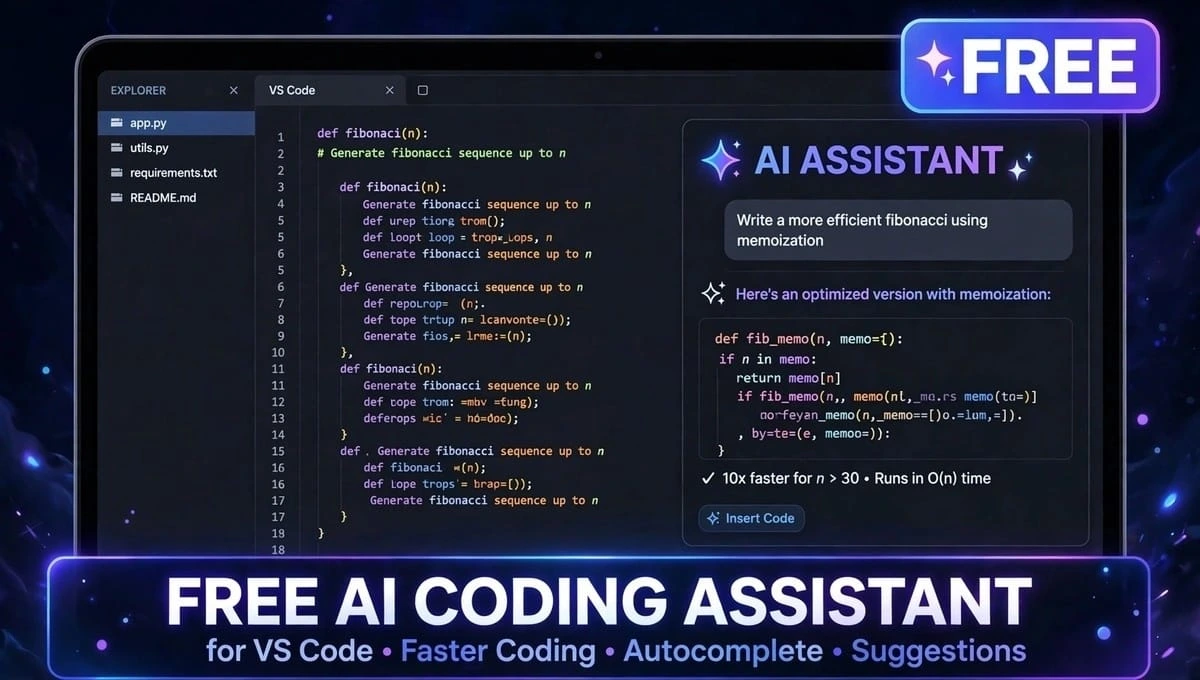
Looking for a free AI coding assistant for VS Code that actually works without a credit card? You are not alone.
Every developer wants the same thing. An AI that writes code faster, explains errors in simple words, and does not send a surprise bill at the end of the month. Whether you are 15 and learning Python, or you are building real apps for clients, the need is the same.
The problem is, the word free means three different things in 2026. Some tools give you a small free plan and then stop. Some tools are free to install, but you pay for the AI model yourself. And some tools run fully on your own computer, so they cost zero forever.
This guide will clear that confusion. We compared the best free AI developer tools for VS Code on the four things that really matter. Code completion, chat, privacy, and usage limits. No marketing talk. Just what you actually get for zero rupees or zero dollars.
Quick Answer: Which Free AI Coding Assistant for VS Code Should You Pick?
If you are in a hurry, start here.
Best for most people is GitHub Copilot Free. It is the easiest to install and it works instantly.
Best truly free agent is Kilo Code with a free model. It is the most powerful and it can cost zero.
Best for privacy is Continue with Ollama. Your code never leaves your laptop.
Best for students is GitHub Copilot Free via Student Pack. You get Pro features for free.
Best for autocomplete only is Codeium Free. It gives unlimited suggestions.
Now let us compare them properly.
Comparison Table: Code Completion, Chat, Privacy and Limits (Free AI Coding Assistant for VS Code)
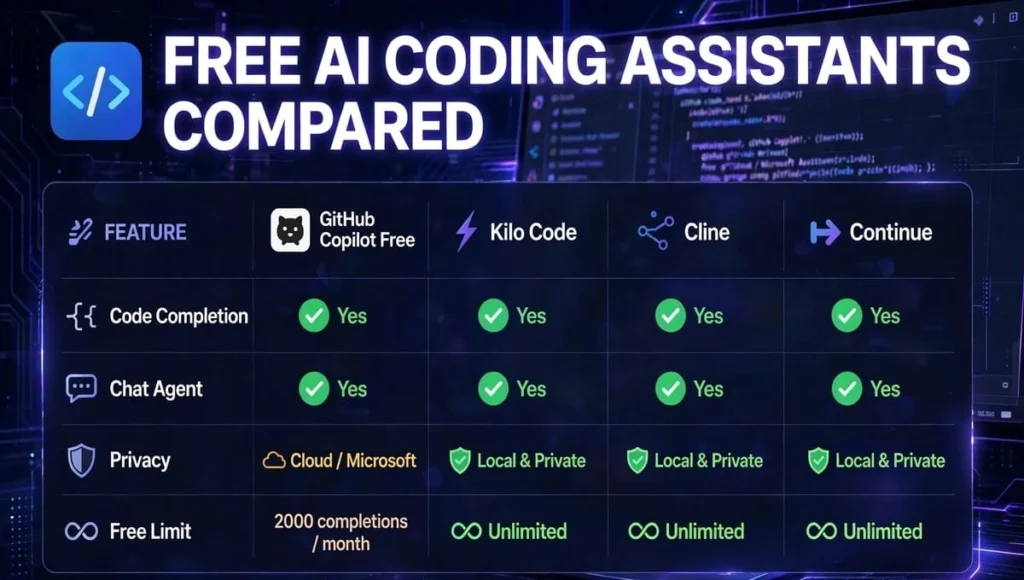
| Tool | Code Completion | Chat / Agent | Privacy | Free Limit | Needs Credit Card? | Needs API Key? |
| GitHub Copilot Free | Yes, 2,000 / month | Yes, chat + agent, small credit allowance | Cloud, code not used for training by default | 2,000 completions + limited chats | No | No |
| Kilo Code | Yes | Yes, full agent, multi-file edits | Cloud via Gateway, or BYOK | Extension free, you pay for model usage | No for free models | Optional |
| Cline | Yes | Yes, full agent | Cloud via your provider | Extension free, you pay for model usage | No | Yes, for most models |
| Continue | Yes | Yes, chat + agent | Best: Local / BYOK, your choice | No built-in cap | No | Optional |
| Gemini Antigravity | Yes, unlimited Tab | Yes, agent mode | Cloud via Google | Weekly agent limits | No | No |
| Codeium Free | Unlimited autocomplete | Yes, chat | Cloud | 25 agent credits / month | No | No |
| Tabnine Free | Yes, limited | Basic chat | Local model option | Basic completions only | No | No |
What this table tells you: If a tool says “free extension,” it does NOT mean “free AI.” Kilo and Cline are free software, but the smart AI behind them costs money unless you choose a free model.
The 7 Best Free AI Coding Assistants For VS Code
1. GitHub Copilot Free: Best Free AI Coding Assistant For VS Code For Beginners
Best use case: You want to start coding in 2 minutes with no setup.
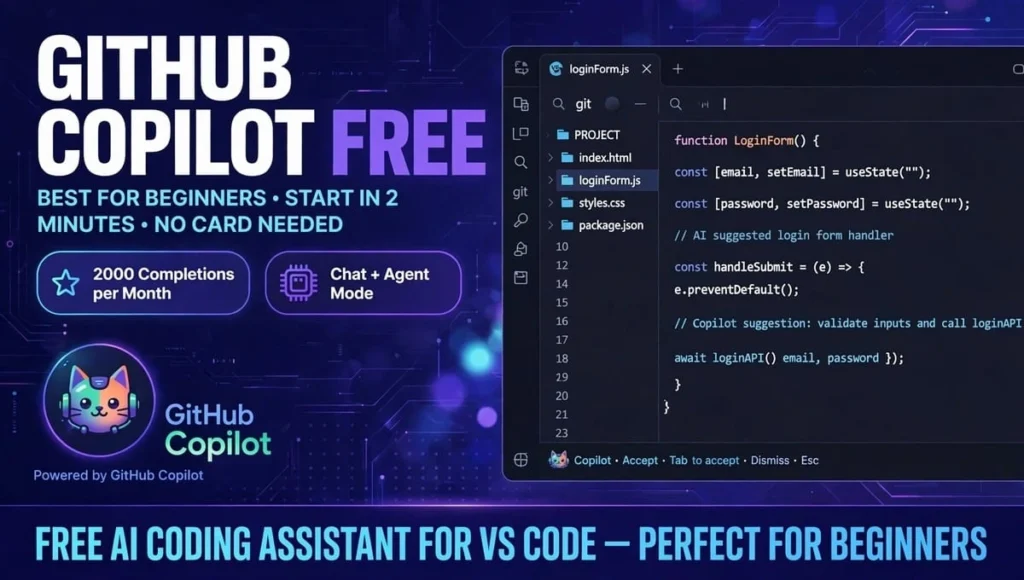
Copilot is the free AI pair programmer VS Code users know best. It lives inside VS Code. You type a comment like make a login form and it suggests the whole code.
Code completion is excellent. You get 2000 completions per month, which is enough for light daily coding.
Chat is very good. You can ask why this error is happening and it explains in plain English. It also has agent mode to edit multiple files.
Privacy is good. GitHub says it does not train on your private code by default, but your code does go to the cloud to get suggestions.
Limit is the catch. When your chat credits run out, agent mode stops. GitHub does not publish exactly how many chat credits you get. Heavy chat users run out in one to two weeks.
Install it by searching GitHub Copilot in VS Code Extensions, then sign in with GitHub. Done. No card needed.
Pick Copilot if you are a student, a beginner, or you code one to two hours a day.
2. Kilo Code: Best Truly Free AI Agent
Best use case: You want a powerful agent that can build a whole feature, not just complete one line.
Kilo Code is the new name for the tool that beat Cline and Roo Code. It is open source, has 5M plus downloads, and gives you access to 500 plus models like Claude, GPT, Gemini, and free open models, all from one VS Code AI extension free to install.
Code completion is good, but its real strength is agent mode. Chat is best in class. It can plan, write code, run terminal commands, fix errors, and work on many files at once.
Privacy is medium. If you use Kilo Gateway, your code goes through Kilo. If you bring your own key, it goes directly to the provider you choose.
Limit is simple. Extension is zero. AI is your choice. Pick a free model on OpenRouter and it costs zero. Pick Claude Sonnet and you pay per token. You can set a spending limit to avoid surprise bills.
Pick Kilo if you want agent power for zero and you are comfortable picking a model.
3. Cline: Best For Control And Transparency
Best use case: You want to see exactly what the AI is doing and what it costs.
Cline is the original open source agent that Kilo was based on. It is still loved by developers who want full control.
Code completion is good.
Chat is excellent. It shows you every file it will change and asks for approval before running commands.
Privacy is good with bring your own key. You control which provider sees your code.
Limit is same as Kilo. Extension free, model usage paid. You must add your own API key for most good models. Free models exist but they are slower and they change often.
Pick Cline if you want transparency and you already have an API key.
4. Continue: Best For Privacy And Offline Coding
Best use case: You work on company code or private code you cannot upload to the cloud.
Continue is the most private free AI developer tool for VS Code. You can connect it to Ollama and run a small AI model like Qwen 2.5 Coder completely on your laptop.
Code completion is good with local models, great with cloud models.
Chat is very good. It can read your whole codebase and answer questions about it.
Privacy is best. With local models, your code never leaves your machine. It works 100 percent offline.
Limit is your computer. There is no built in cap. You need at least 16GB RAM for a smooth local model. Setup takes 15 to 20 minutes, not 2 minutes.
Pick Continue if privacy matters more than speed, or if you sometimes have no internet.
5. Google Antigravity: Best Free Agent Limits
Best use case: You want a lot of free agent work without paying.
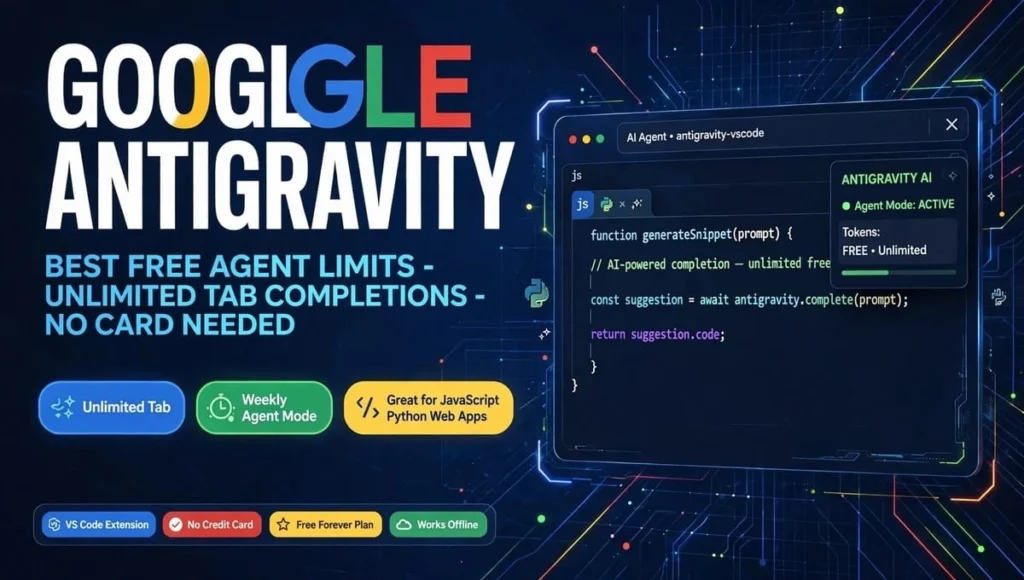
Google replaced Gemini Code Assist with Antigravity in 2026. It gives unlimited Tab completions and generous weekly agent limits, more than Copilot Free.
Code completion is excellent, especially for JavaScript, Python, and web apps.
Chat is excellent. Gemini is very good at explaining code and fixing bugs.Privacy is cloud. Google processes your code to give answers.
Limit is weekly limits on agent mode. When you hit the limit, you wait for next week. No credit card needed.
Pick Antigravity if you code a lot and you keep hitting Copilot’s monthly cap.
6. Codeium Free: Best For Unlimited Autocomplete
Best use case: You only want fast autocomplete, not a full agent.
Codeium gives unlimited autocomplete for free. You type, it finishes your line. It is perfect for people who write a lot of repetitive code.
Code completion is best for pure autocomplete. Unlimited.Chat is basic. Agent work is capped at 25 credits per month.
Privacy is cloud.
Limit is agent mode stops fast. Use it for completion only.
7. Tabnine Free: Best For Simple Team Use
Best use case: You want a simple, safe autocomplete for your team.
Tabnine’s free tier is basic, but its team version can run locally. It is less powerful than the others, but it is simple and safe.
What Free Really Means: Do Not Get Tricked
This is the section that saves you money. There are three types of free AI coding assistant for VS code .
First, Free Tier. This is Copilot, Antigravity, and Codeium. The company gives you a small amount for free. Easy to start. Stops when you hit the limit. No card needed.
Second, Free Software Plus Paid Model. This is Kilo and Cline. The extension is free and open source. You bring your own API key or pick a free model. If you pick a paid model, you pay the model provider, not the extension.
Third, Fully Local. This is Continue with Ollama. You run the AI on your own PC. Zero forever. No card, no API, no cloud. But you need a decent PC.
Golden rule. If a tool asks for a credit card for a free plan, close it. All seven tools above work without a card.
How To Install A Free AI Coding Assistant In VS Code In 2 Minutes
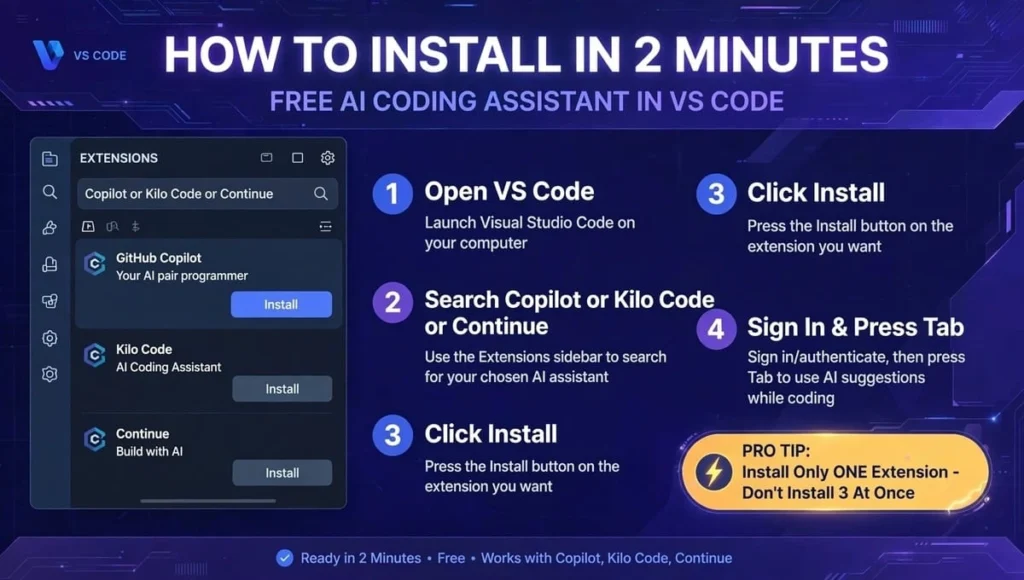
Open VS Code. Click Extensions icon on the left sidebar. Search for GitHub Copilot or Kilo Code or Continue. Click Install. Sign in. For Copilot, use GitHub account. For Kilo, pick Free Model. For Continue, pick Ollama or API. Open any file, type a comment, and press Tab to accept the suggestion.
Pro tip: Do not install three AI extensions at once. They will fight for the Tab key and slow down VS Code. Install one, test it for three days, then decide.
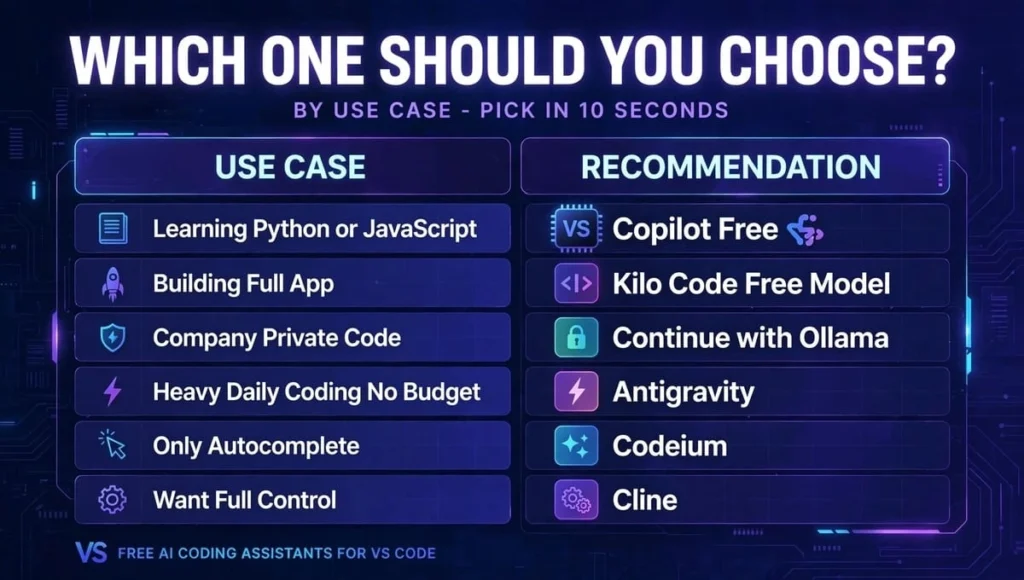
Which One Should You Choose By Use Case?
Learning Python or JavaScript: Copilot Free
Building a full app or project: Kilo Code with Free Model
Company or private code: Continue with Ollama
Heavy daily coding, no budget: Antigravity
Only autocomplete: Codeium
Want full control: Cline
FAQs: Free AI Coding Assistant For VS Code
Is there a completely free AI coding assistant for VS Code with no API key?
Yes. GitHub Copilot Free and Google Antigravity work with no API key and no credit card. Kilo Code also works with a free model, but you still need a free OpenRouter account to get the key.
Do I need a credit card for a free AI coding assistant for VS Code?
No. All seven tools in this guide work without a credit card. If a site asks for a card for a free plan, it is a trial, not a free plan. Close it and use Copilot Free instead.
Does a free AI assistant for VS code,send my code to the cloud?
Most do. Copilot, Kilo Gateway, Antigravity, and Codeium send your code to the cloud to generate suggestions. If that worries you, use Continue with Ollama. With local models, your code never leaves your laptop.
Can I use a free AI coding assistant for VS code offline?
Yes, but only with local models. Continue with Ollama works offline. All other tools need internet because the AI runs on a server. Tabnine with a local model also works offline.
Which is the best free AI for VS Code for students?
GitHub Copilot Free is best for students. Verified students get Copilot Pro for free via GitHub Student Developer Pack. It gives higher limits, better models, and no card needed. Start there if you are a student.
Can I use two AI assistants together in VS Code?
You can, but you should not. Two extensions will fight for the Tab key, show duplicate suggestions, and slow down VS Code. Pick one for three days, then switch if you do not like it.
How do I stop surprise API bills with Kilo Code or Cline?
Set a spending limit on day one. In Kilo, set Max Spend to 5 dollars. In your API provider dashboard, set a hard limit. Always start with a free model to learn, then upgrade only if you need a smarter model.
Which free AI coding assistant is best for Python?
Copilot Free and Antigravity are both excellent for Python. They explain errors in simple words and suggest clean code. For building a full Python project with many files, Kilo Code’s agent mode is stronger.
Is Kilo Code better than Cline?
For most people, yes in 2026. Kilo started as a fork of Cline and added parallel agents, better model routing, and a simpler free model setup. Cline is still great if you want full control and transparency over every step.
Is a free AI coding assistant safe for company code?
It depends on your company policy. If your company forbids cloud AI, use Continue with Ollama locally. Never paste passwords, API keys, or secrets into any AI chat, free or paid. Check your company’s AI policy first.
Conclusion – Free AI Coding Assistant for VS Code
The best free AI coding assistant for VS Code is not the same for everyone, and that is good news.
If you want the easiest start, pick GitHub Copilot Free. If you want the most powerful free agent, pick Kilo Code with a free model. If you want total privacy, pick Continue with Ollama.
All three are real free AI developer tools for VS Code that work without a credit card. The mistake is not picking the wrong one. The mistake is paying for a tool before you have tried the free version for three days.
Install one today, build one small project with it, and see how much faster you code. That one project will tell you more than ten comparison articles.
Your next step is simple. Install Copilot Free if you are a beginner, or Kilo Code if you want an agent. Test it for three days, then come back and tell us which free AI pair programmer VS Code setup worked for you.