Free AI PDF Summarizer: Summarize Any PDF in Seconds 2026
Do you have a 100-page PDF and only 5 minutes to understand it? A free AI PDF summarizer can read the whole file for you and give you the main…
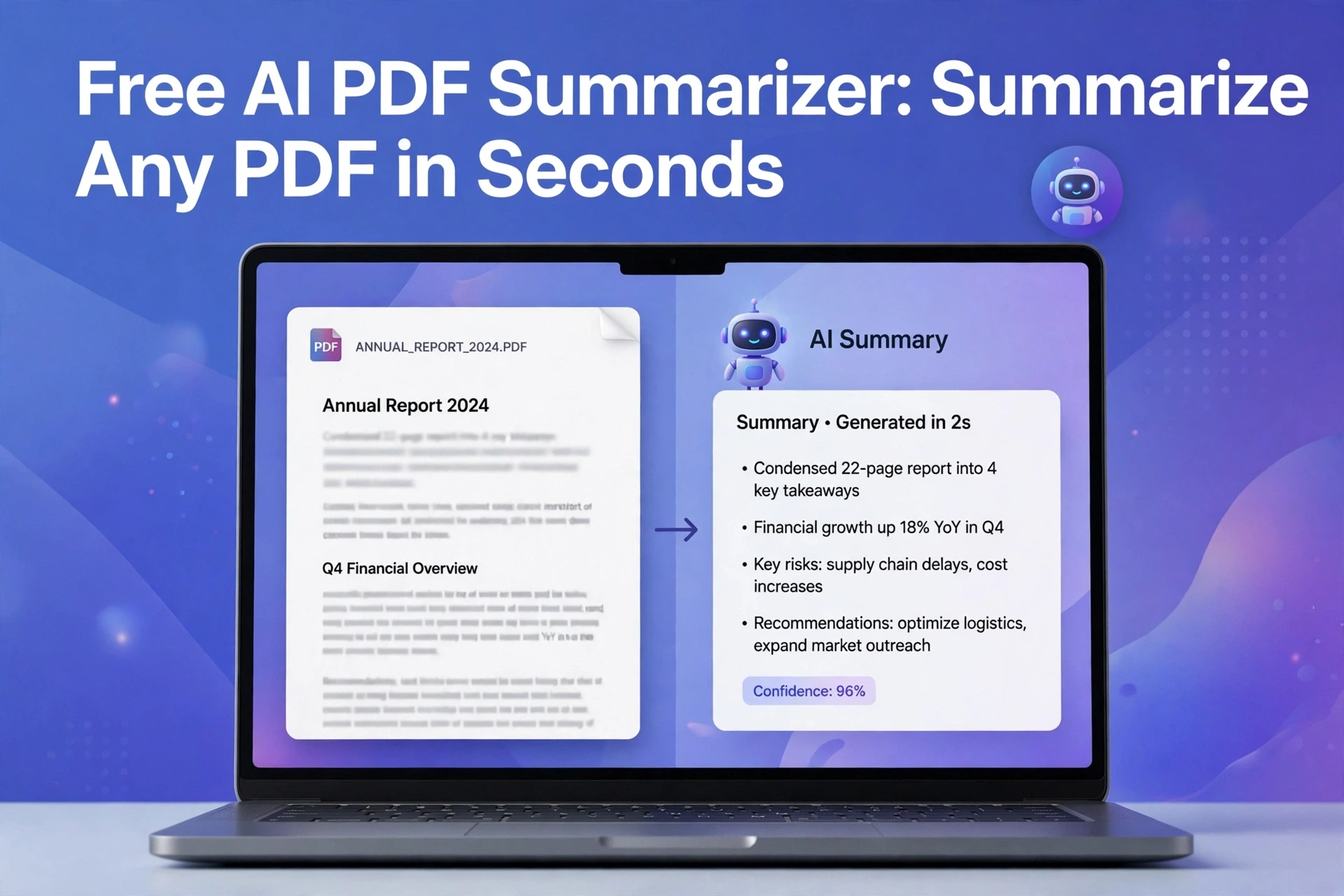
Do you have a 100-page PDF and only 5 minutes to understand it? A free AI PDF summarizer can read the whole file for you and give you the main points in simple bullet points.
You don’t need to read every page. You don’t need to pay. And you don’t need to create an account on most good tools.
In this guide, I will show you how to summarize a PDF with AI for free, which tools are actually free, and how to fix the 3 problems that make most summarizers fail – large files, scanned PDFs, and privacy.
What is a Free AI PDF Summarizer?
Think of it like a smart friend who reads fast.
You upload a PDF – a textbook, research paper, legal contract, or office report. The AI reads it, finds the important ideas, and writes a short summary in your own language.
There are two ways AI does this:
1. Extractive Summary: It picks the most important sentences from the PDF and shows them as-is. Good for accuracy.
2. Abstractive Summary: It writes a new summary in its own words, like a human would. Good for easy reading.
The best free tools use both. They give you key points, a short TL;DR, and sometimes questions and answers from your PDF.
How to Summarize a PDF with AI for Free? [3-Step Method]
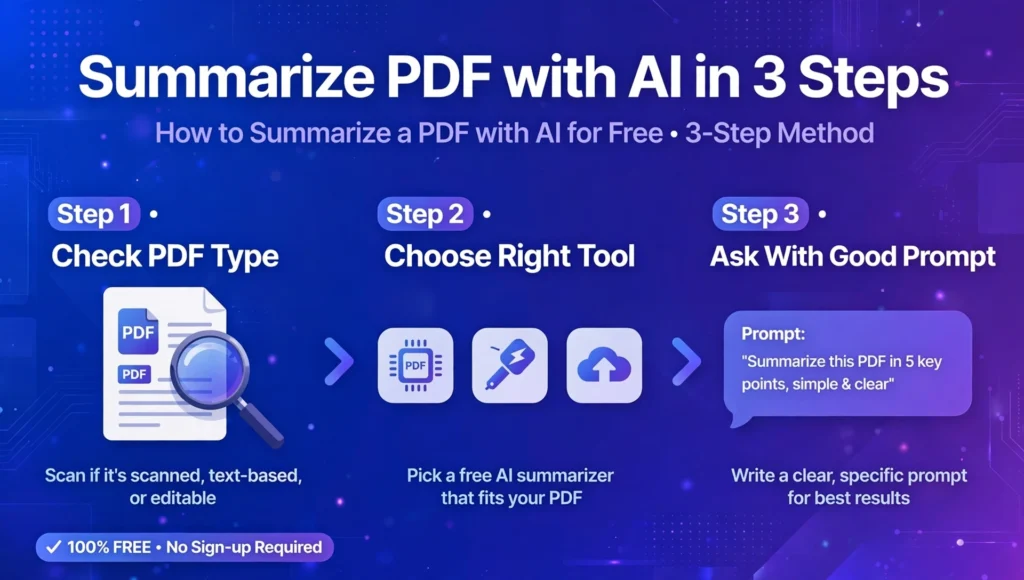
You don’t need any technical skill. If you can upload a photo on WhatsApp, you can do this.
Step 1: Check Your PDF Type
Before you upload, open your PDF and try to select a sentence with your mouse.
If the text highlights, it’s a normal text PDF. Any summarizer will work.
If nothing highlights and it looks like a photo of text, it’s a scanned PDF. You will need a tool that can summarize scanned PDF with AI using OCR. OCR means the AI first reads the image as text, then summarizes it. Many top-ranking tools hide this and then fail on scanned files.
Step 2: Choose The Right Tool For Your Need
Don’t use the same tool for everything. Use this simple rule:
For school notes and research papers: Choose a tool that gives bullet points + mind map + flashcards.
For office reports and legal PDFs: Choose a tool that keeps numbers, dates, and names correct.
For quick reading: Choose a tool that gives a 1-paragraph TL;DR.
I tested NoteGPT, iLovePDF, and Manus. NoteGPT is best for students, iLovePDF is best for quick PDF tasks, and Manus is best for long, detailed reports. But all three have a free limit. We will fix that in the next section.
Step 3: Ask With A Good Prompt
Don’t just write “summarize this.” That gives a generic summary.
Try these prompts instead:
- “Summarize this PDF in 10 bullet points for a 15-year-old. Keep all important numbers and dates.”
- “Give me an executive summary, 3 key takeaways, and 3 action items from this PDF.”
- “Explain this research paper’s method, results, and conclusion in simple English.”
This one change makes your summary 3x more useful.
How to Summarize Large PDF Free Online [The Problem No One Tells You]
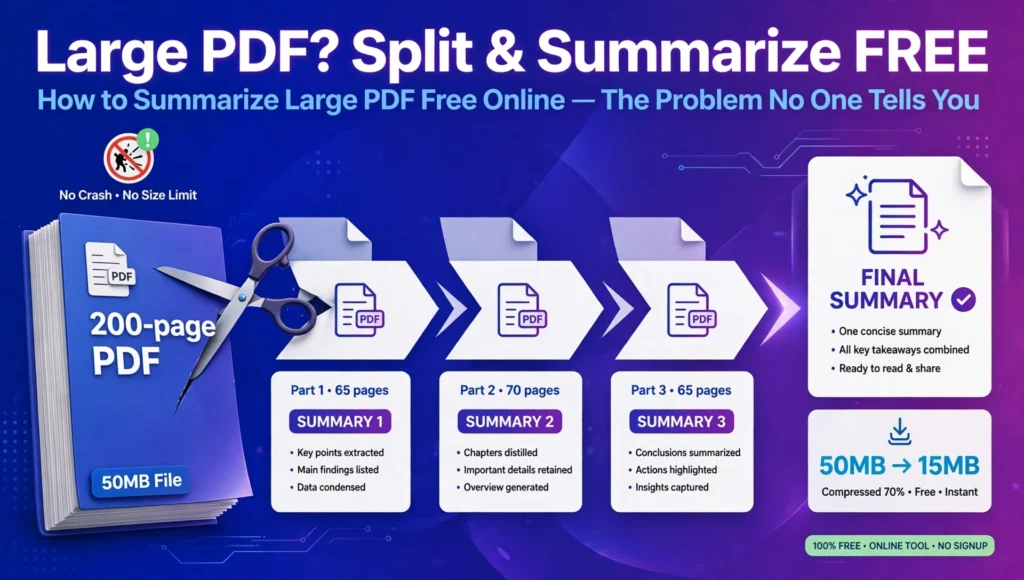
This is where most free tools fail.
Most free AI PDF summarizer tools say “unlimited” but they actually stop at 20-30 pages or 10 MB. When you upload a 200-page thesis, they either crash, cut off the middle pages, or ask you to pay.Here is how to summarize large PDF free online without paying:
1. Split and Summarize: If your PDF is over 50 pages, split it into 3 parts. Summarize each part separately, then paste the 3 summaries into one final summary. This works 100% of the time.
2. Use Chapter-Wise Summaries: For books and reports, ask the AI to summarize chapter by chapter. You get a full summary without missing anything.
3. Compress First: Use a free PDF compressor to bring a 50 MB file down to under 15 MB before uploading. The summary quality stays the same.
There is no truly free AI PDF summarizer unlimited for very large files. Anyone who says “unlimited” means unlimited small files, not unlimited pages. Knowing this trick saves you from paying for Pro plans you don’t need.
Free AI PDF Summarizer vs ChatGPT: Which Is Better?
Many students ask, “Can’t I just use ChatGPT?”
Yes, you can. But there is a difference.
ChatGPT is great if you already have a PDF open and want to ask follow-up questions. But it has a file size limit and it will not remember your PDF after you close the chat.
A dedicated PDF summarizer is better because it is built for PDFs. It shows you page numbers, highlights where the summary came from, and lets you download the summary as PDF or Word.
My rule: Use a dedicated summarizer for first reading. Use ChatGPT for asking deep questions after.
Is Your PDF Safe? Privacy Truth
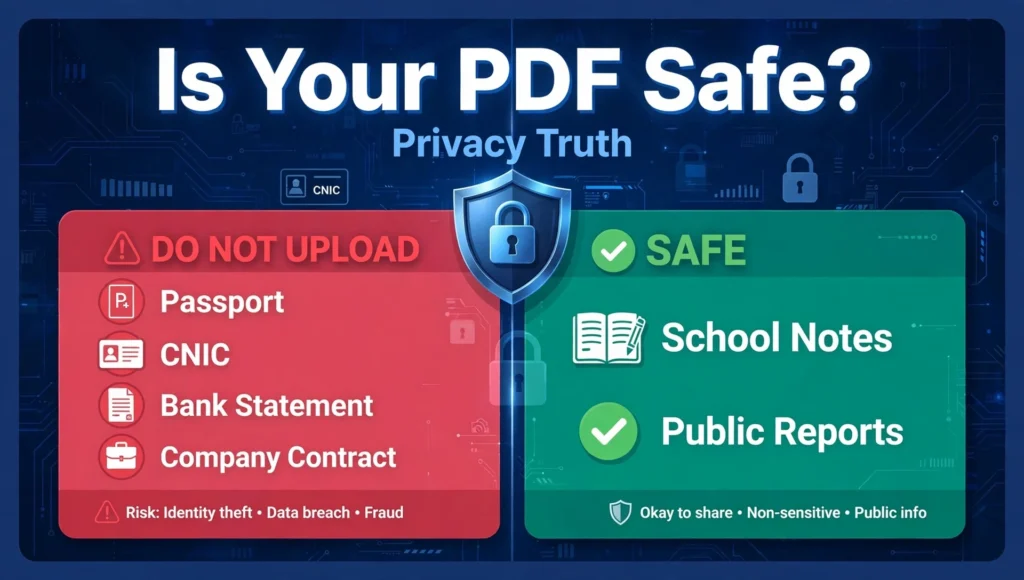
This is the biggest weakness of the top 3 ranking sites. They don’t clearly tell you what happens to your file.
Never upload these to a free online tool:
- Passport, CNIC, bank statements
- Company contracts with private data
- Unpublished research or thesis
For school notes and public reports, free tools are safe. For private files, use an offline tool or a tool that says “files deleted after 1 hour” and does not train AI on your data. Always check the privacy policy before uploading.
Best Free AI PDF Summarizer in 2026: Honest Comparison
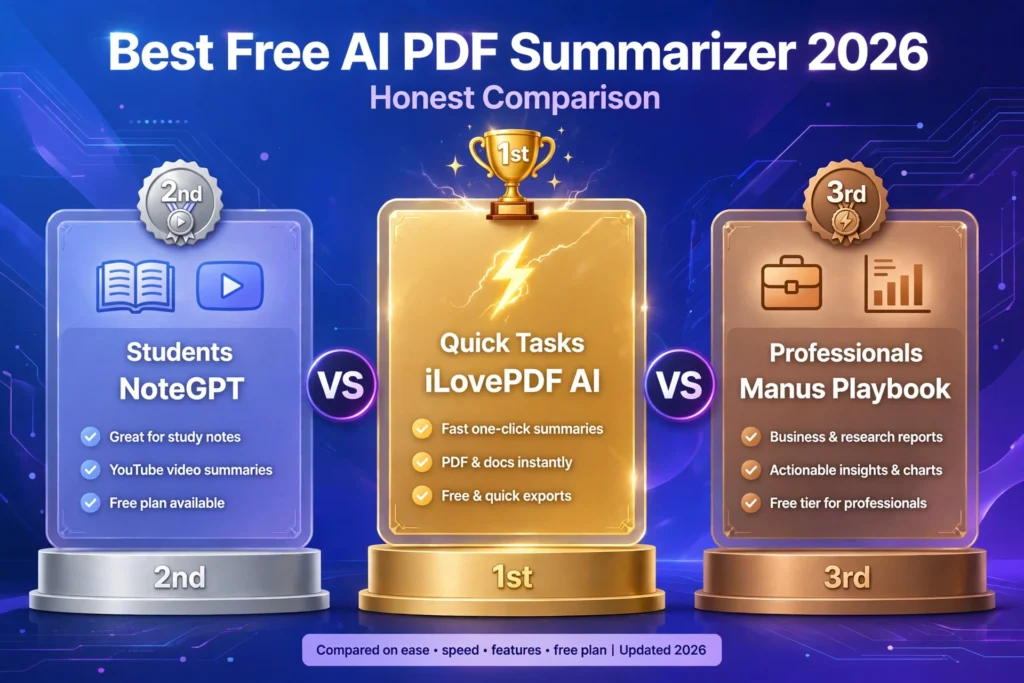
1. For Students: NoteGPT – Best for YouTube + PDF + notes together. Weakness: Slow on free plan, requires sign-up after few uses.
2. For Quick Tasks: iLovePDF AI – Best if you already use iLovePDF for merge/compress. Weakness: Very short free summary, no deep Q&A.
3. For Professionals: Manus Playbook – Best for long reports and structured output. Weakness: Not a simple tool, more like an AI agent, needs learning.
Best Free Method for Daily Use: Use one tool for summary + one for Q&A. Summarize on iLovePDF, then ask follow-up questions on ChatGPT or Gemini. You get Pro-level results for $0.
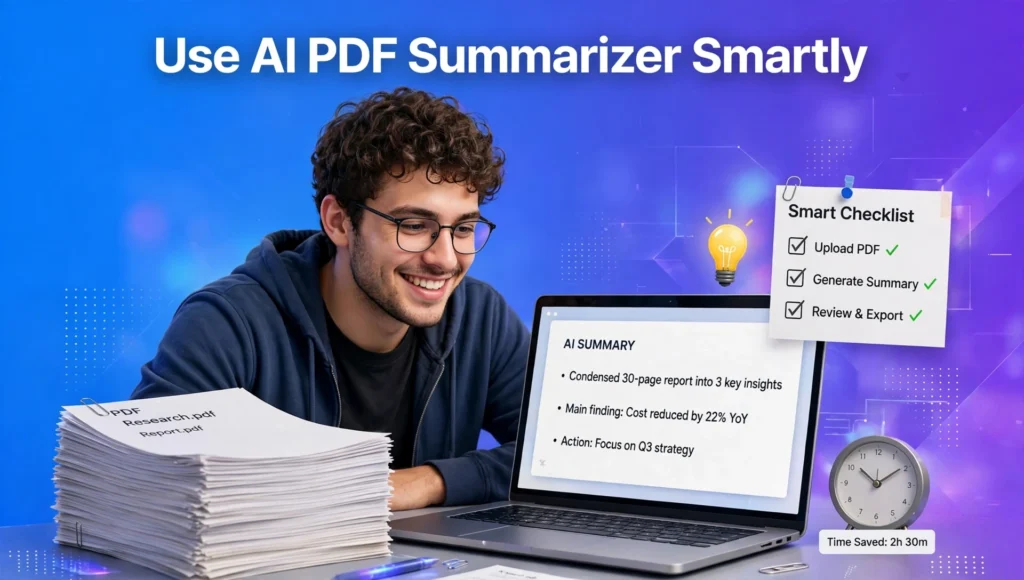
Conclusion: How to Use a Free AI PDF Summarizer Smartly
A free AI PDF summarizer is not magic. It is a time-saving tool. If you know how to summarize large PDF free online by splitting files, how to summarize scanned PDF with AI using OCR, and that there is no truly free AI PDF summarizer unlimited for huge files, you will get better results than 90% of users.
Don’t pay for Pro until you try the split method. Start with a small PDF, use a good prompt, and always double-check important numbers. AI can make mistakes. For exams and legal work, always read the original key pages.
Now you know exactly how to summarize a PDF with AI for free – without wasting time or money.
FAQs – Frequently Asked Questions
How to summarize a PDF with AI for free?
Upload your PDF to a free AI PDF summarizer, choose bullet points or TL;DR, and click Summarize. For large files, split into parts first. No sign-up needed on most tools.
Is there a truly free AI PDF summarizer unlimited?
No. All free tools have a page or daily limit. “Unlimited” usually means unlimited small files. Split large PDFs into 30-40 page parts to stay free.
Can I summarize a scanned PDF with AI?
Yes, if the tool has OCR. OCR converts the image of text into readable text first. Without OCR, the AI will return a blank or wrong summary.
How to summarize large PDF free online?
Compress your PDF under 15 MB, split it into parts, summarize each part, then combine the summaries. This works for 200+ page books and theses.
Is it safe to upload my PDF to a free summarizer?
For public notes and reports, yes. For private documents like bank statements or unpublished research, no. Use a tool that deletes files in 1 hour.
Can ChatGPT summarize a PDF?
Yes. Upload your PDF to ChatGPT, Claude, or Gemini and ask for a summary. It works well for files under 25 MB. For page numbers and citations, use a dedicated PDF tool.
What is the best free AI PDF summarizer for students?
NoteGPT is best for students because it gives summaries, notes, mind maps, and flashcards. iLovePDF is best for quick, one-time summaries without learning a new tool.
Why is my AI summary wrong or missing points?
This happens with scanned PDFs, very long PDFs, or vague prompts. Use a clear prompt, check if your PDF is scanned, and summarize chapter by chapter for better accuracy.