Free AI Voice Generator for YouTube – Best Tools in 2026
Struggling to record your own voice for YouTube? You are not alone. Thousands of creators want to make faceless videos, tutorials, and documentaries but don’t have a good mic, clear…
Struggling to record your own voice for YouTube? You are not alone. Thousands of creators want to make faceless videos, tutorials, and documentaries but don’t have a good mic, clear accent, or time to record. A free AI voice generator for YouTube solves this exact problem by turning your text into studio-quality voiceover in seconds.
Instead of spending hours recording and editing, you can now produce natural, engaging videos faster, cheaper, and without ever showing your face or using your own voice.
What is a Free AI Voice Generator for YouTube?
A free AI voice generator for YouTube is a text-to-speech tool that converts your written script into realistic human-like speech. Unlike old robotic voices, new Text-to-speech AI tools for YouTube creators use advanced AI to add natural pauses, emotions, and correct pronunciation.
These tools are perfect for:
– Faceless YouTube channels
– Educational and explainer videos
– Storytelling and documentary channels
– Gaming and news channels
Why YouTube Creators Are Switching to AI Voiceovers
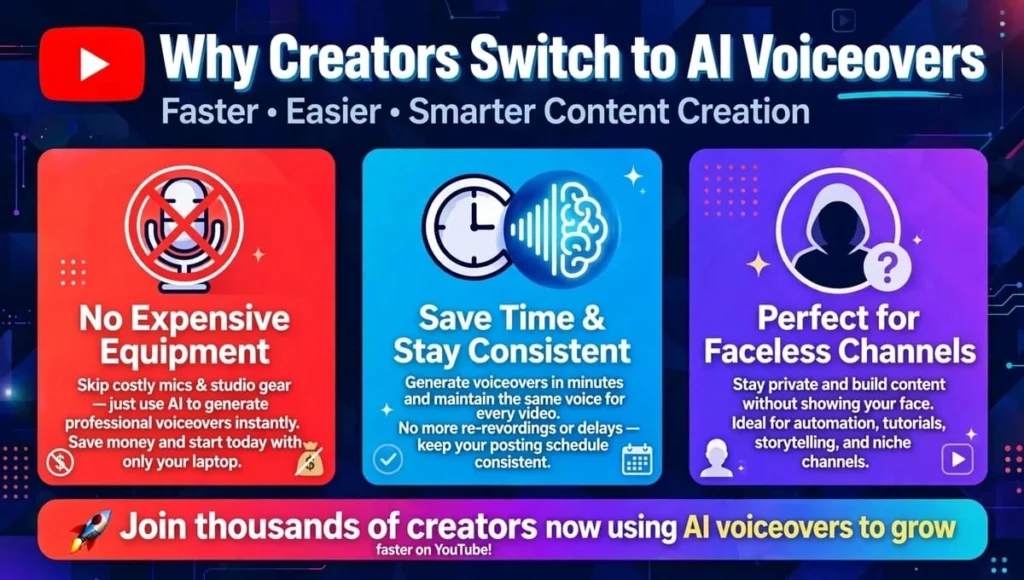
1. No Need for Expensive Equipment
You don’t need a $100-$300 microphone, soundproof room, or editing software. A Free AI voiceover generator without recording gives you clean audio instantly.
2. Save Time and Stay Consistent
Recording a 10-minute video can take 2 hours. AI can do it in 2 minutes. You can also keep the same voice across all your videos, which builds your channel identity.
3. Perfect for Faceless Channels
If you are camera-shy or want to stay anonymous, AI voiceovers are the best solution. Your content speaks for you.
5 Best Free AI Voice Generators for YouTube Videos in 2026
After testing dozens of tools, here are the top performers that offer truly Natural-sounding AI voices for YouTube videos for free.
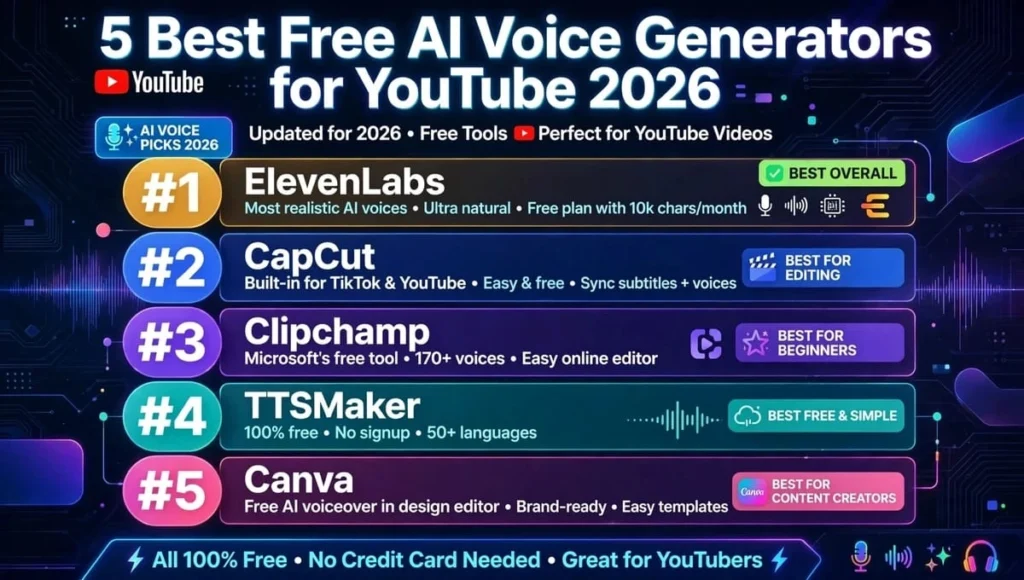
1. ElevenLabs – Most Natural Voice
Best for realism. Its free plan gives you about 10 minutes of voice per month. Voices sound incredibly human with emotion control. Pro plan starts at $5/month. Ideal for storytelling channels.
Pros: Most natural, 29+ languages
Cons: Free plan is limited
2. CapCut Text-to-Speech – Best 100% Free for YouTube Videos
Completely free with no word limit if you use it inside CapCut video editor. It offers 50+ voices and is directly optimized for YouTube Shorts and long videos. This is the best Free AI voice generator for YouTube videos if you are on a zero budget.
Pros: Truly free, built-in video editor
Cons: Slightly less emotional than ElevenLabs
3. Clipchamp (by Microsoft) – Best for Beginners
Free with your Microsoft account. Offers 80+ natural voices in 70 languages. Very easy to use, no learning curve. You can generate voiceover and edit video in one place.
Pros: Free, trusted by Microsoft, commercial use allowed
Cons: Needs internet connection
4. TTSMaker – Best for Long Scripts
Allows you to convert up to 20,000 characters per week for free. Supports 100+ voices and you get full commercial rights for YouTube monetization. Great for creators making 10+ minute videos.
Pros: Long free limit, commercial use
Cons: Interface is simple
5. Canva AI Voice Generator – Best for Presentations
If you already make thumbnails on Canva, you can generate voiceovers there too. Free plan offers 25+ natural voices. Perfect for educational channels.
Pros: All-in-one design + voice
Cons: Limited voice customization in free plan
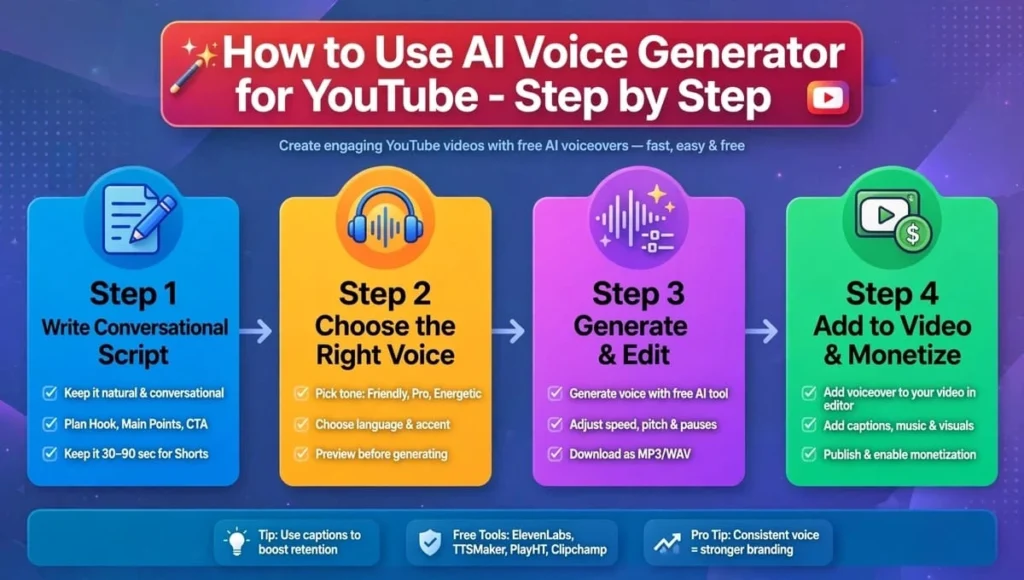
How to Use a Free AI Voice Generator for YouTube – Step by Step
Step 1: Write a Conversational Script
Write like you talk. Use short sentences. Use words like “you” and “let’s”. AI sounds better with natural scripts.
Step 2: Choose the Right Voice
For educational videos, use a calm, clear male or female US/UK voice. For stories, use a deep, emotional voice. Always preview before finalizing.
Step 3: Generate and Edit
Paste your text, generate, and listen. Add pauses using commas and periods. Export as MP3/WAV.
Step 4: Add to Your Video and Monetize
Import the audio to CapCut, Premiere Pro, or YouTube Studio. Yes, YouTube DOES monetize AI voiceover channels as long as your content is original, valuable, and not just copied text. Add visuals, editing, and your own research.
Common Mistakes to Avoid
Don’t use robotic voices from 2020 – viewers will click away. Don’t use copyrighted scripts from other channels. And always add background music at low volume (-25db) to make the AI voice sound more professional and less dry.
Conclusion: Which Free AI Voice Generator for YouTube Should You Choose?
If you want the best quality and plan to grow fast, start with ElevenLabs free plan and then move to its $5 plan. If you need a completely free solution forever, CapCut’s Free AI voice generator for YouTube videos is unbeatable because it gives you unlimited voice generation plus video editing.
The key is not just the tool, but how you use it. A *Text-to-speech AI tools for YouTube creators* will only work if your script is valuable, original, and solves a viewer’s problem. Focus on great content, and let AI handle the voice.
Start today. Pick one tool, generate your first 30-second voiceover, and upload your first faceless video.
FAQs About Free AI Voice Generator for YouTube
What is the best free AI voice generator for YouTube without recording my own voice?
The best free AI voice generator for YouTube without recording is CapCut and ElevenLabs. CapCut is 100% free with unlimited use, while ElevenLabs gives the most natural, human-like voice for free up to 10 minutes per month.
Can I monetize my YouTube channel using a free AI voice generator for YouTube videos?
Yes, you can monetize. YouTube allows AI voiceovers if your video adds original value through editing, visuals, script writing, and research. Don’t just upload plain AI audio with stock images.
Which Text-to-speech AI tools for YouTube creators sound most natural?
ElevenLabs, Clipchamp, and Canva offer the most natural-sounding AI voices for YouTube videos. They include breathing, pauses, and emotion, so listeners feel they are hearing a real person, not a robot.
Is there a Free AI voiceover generator without recording that allows commercial use?
Yes. TTSMaker, Clipchamp, and CapCut allow commercial use on their free plans. You can use their voices for YouTube monetization without paying royalties. Always check the license before publishing.
How can I make Free AI voice generator for YouTube videos sound more human?
Write short, conversational sentences, add commas for pauses, use a good tool like ElevenLabs, and add soft background music. Avoid long paragraphs. Edit speed to 95-100% for a more natural flow.