CPU vs GPU Bottleneck Gaming: How To Check In 90 Seconds
If your PC has a good graphics card but games still feel laggy, you are probably dealing with a CPU vs GPU bottleneck gaming problem. It does not mean your…
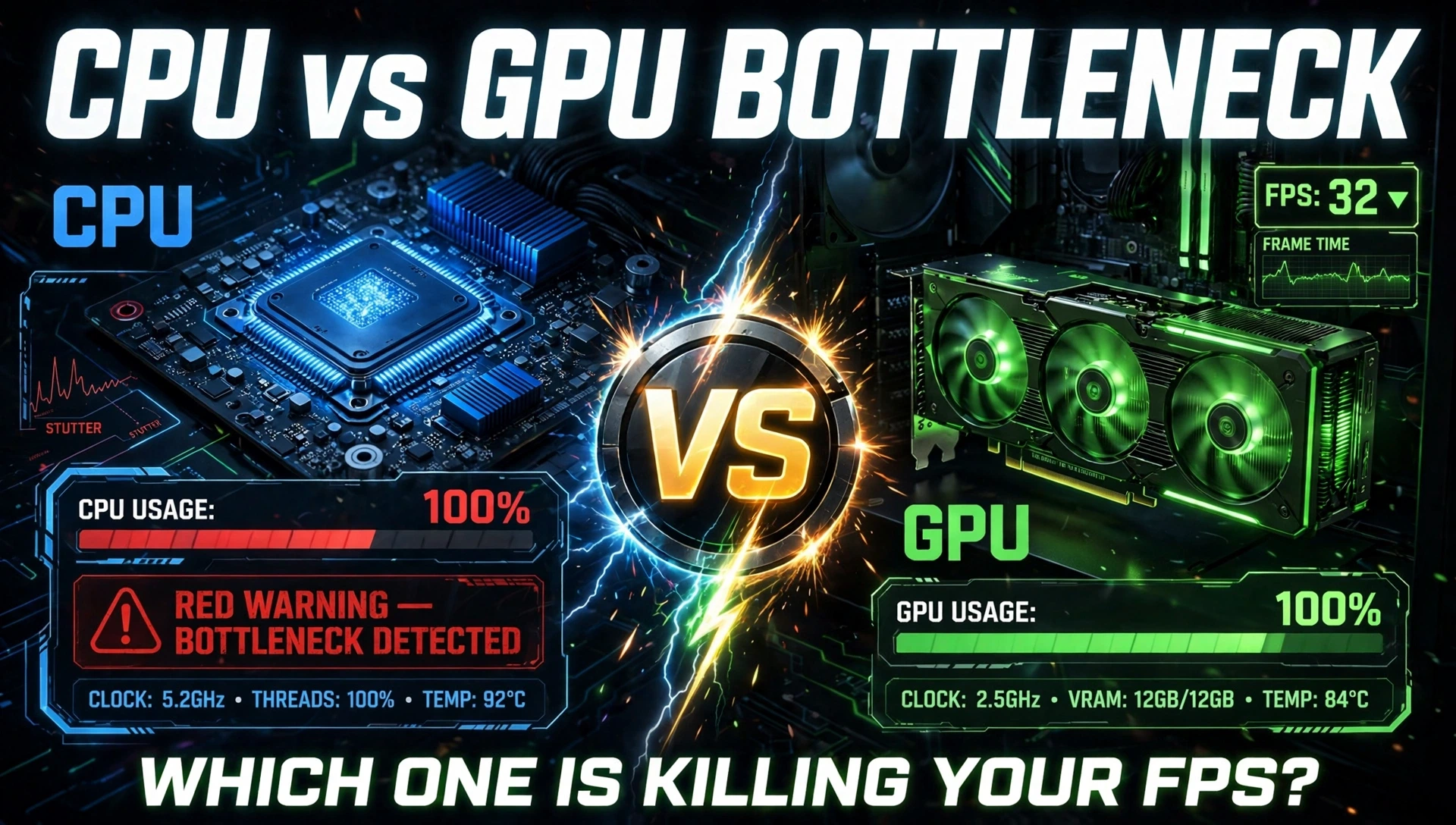
If your PC has a good graphics card but games still feel laggy, you are probably dealing with a CPU vs GPU bottleneck gaming problem. It does not mean your PC is broken. It means one part is working harder than the other, and the slower one is holding back your FPS.
Most websites will tell you to use a bottleneck calculator. Please do not trust that number. A calculator cannot see which game you play, what settings you use, or how hot your PC is. In this guide, you will learn the real way to find your bottleneck in 90 seconds using your own PC, and how to fix it.
What Is a Bottleneck in Gaming?
What is a bottleneck in gaming? Think of a water pipe. If one part of the pipe is narrow, the water cannot flow fast no matter how wide the rest of the pipe is.
Your gaming PC works the same way.
Your CPU is the boss. It tells the game what to do. It handles game logic, AI, physics, player movement, and it prepares frames for the GPU.
Your GPU is the artist. It draws those frames with textures, lighting, shadows, and ray tracing.
If the CPU is slow, the GPU sits and waits with nothing to draw. If the GPU is slow, the CPU sits and waits with frames ready but not drawn. In both cases, you lose FPS.
Every PC has a bottleneck somewhere. The goal is not to get zero bottleneck. The goal is to have the right bottleneck for your games.
CPU Bottleneck vs GPU Bottleneck: The Simple Difference
What Is a CPU Bottleneck?
A CPU bottleneck happens when your processor cannot keep up with your graphics card.
Common signs:
- GPU usage stays low, around 50% to 70%
- CPU usage is very high, around 90% to 100%
- FPS is lower than expected, even on low settings
- Game stutters when you move fast or when many enemies appear
This is very common in games like Fortnite, CS2, Valorant, Warzone, GTA V, and simulation games. These games ask the CPU to do a lot of work.
What Is a GPU Bottleneck?
A GPU bottleneck happens when your graphics card is the limit. This is actually normal and good in most cases.
Common signs:
- GPU usage is at 95% to 100%
- CPU usage is low, around 30% to 60%
- FPS goes up when you lower graphics settings
- FPS goes down when you raise resolution or turn on ray tracing
If you are playing at 1440p or 4K on Ultra settings, a GPU bottleneck is expected. It means your CPU is doing its job and your GPU is giving you everything it has.
The Golden Rule
A GPU bottleneck usually feels smooth. A CPU bottleneck usually feels stuttery. That is why a CPU bottleneck is worse, even if the average FPS looks similar.
How To Check Bottleneck Without a Calculator
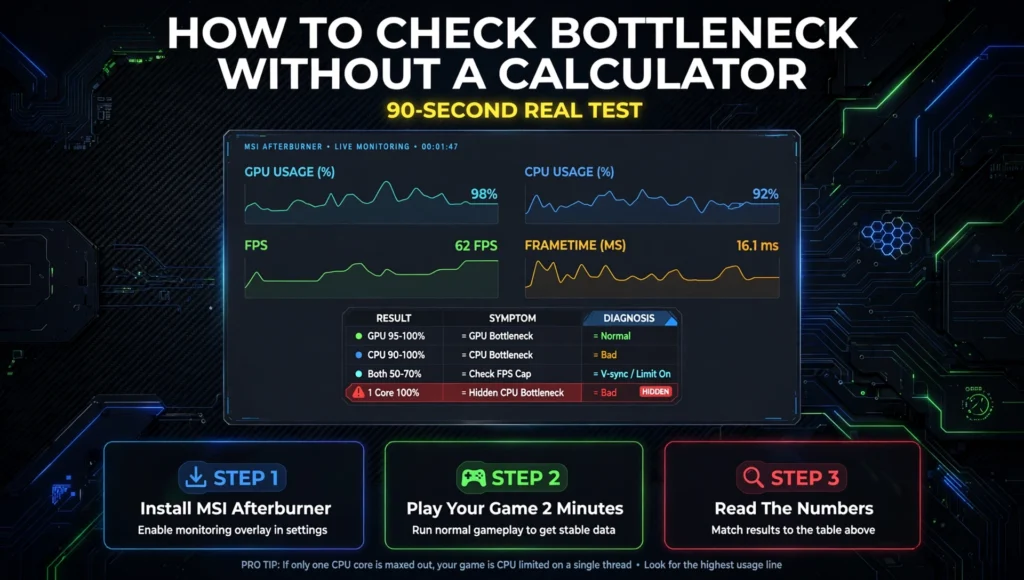
Forget the percentage from a website. Use this 90-second real test.
Step 1: Install MSI Afterburner + RTSS
Both are free. Install MSI Afterburner and enable the on-screen display for:
- CPU Usage (Total + Per-Core)
- GPU Usage
- FPS
- Frametime
Step 2: Play Your Game For 2 Minutes
Play the game you actually play, not a benchmark. Play a busy part of the game, not the menu.
Step 3: Read The Numbers Like This
Use this table. This is what the top 3 articles do not teach you:
| What You See | What It Means | What To Do |
| GPU 95-100% + CPU 40-70% | GPU Bottleneck – Normal | Lower settings or upgrade GPU later |
| CPU 90-100% + GPU 50-70% | CPU Bottleneck – Bad | Fix CPU load, see fixes below |
| Both 50-70% | Not a bottleneck | Check FPS cap, V-Sync, or temperature |
| GPU 60% + CPU Total 45% but 1 Core at 100% | Hidden CPU Bottleneck | This is the most missed one |
Why Total CPU % Lies To You
This is the biggest secret. Your CPU has 6, 8, or 12 cores. Games mostly use 1 or 2 cores heavily.
Your total CPU usage can show 45%, but if Core 1 is at 100%, your CPU is still bottlenecking you. That is why you must look at per-core usage in MSI Afterburner, not just total usage.
If one core is maxed while your GPU is waiting, you have a CPU bottleneck even though the total number looks low.
Utilization Percentages Explained For Beginners
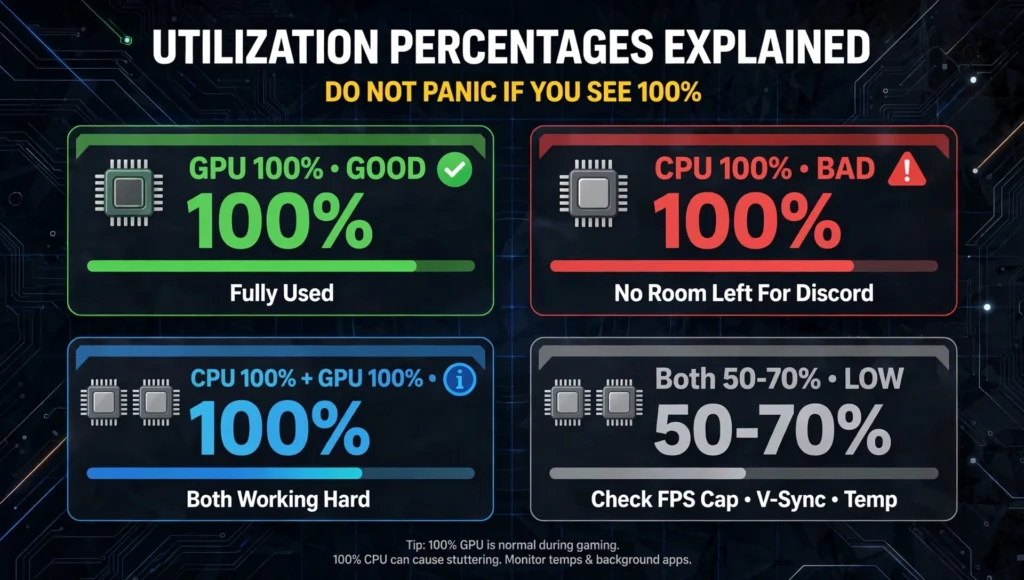
Do not panic if you see 100%.Context matters.
Is 100% GPU usage good?
Yes. It means your GPU is fully used and not being held back. This is what you want in AAA games.
Is 100% CPU usage bad?
Usually yes. It means your CPU has no room left for Discord, Chrome, streaming, or background Windows tasks. This causes stutter.
Is 100% CPU and 100% GPU together bad?
No, it just means both are working hard. If FPS is stable and frametime is smooth, you are fine.
What if both are low?
Then your FPS is limited by something else. Most common reasons are FPS cap, V-Sync turned on, power limit, or thermal throttling. Your CPU is slowing itself down because it is too hot.
How Resolution Changes Everything
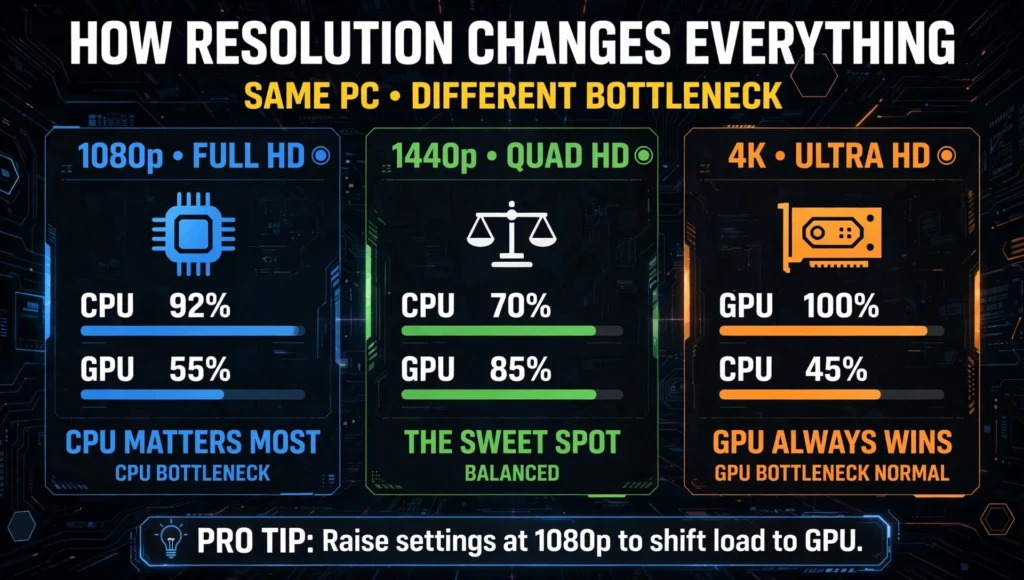
Resolution is the fastest way to change your bottleneck. This is why a bottleneck calculator that gives you one fixed number for all resolutions is wrong.
At 1080p – CPU Matters Most
At 1080p, the GPU finishes frames very quickly. The CPU has to work extra hard to keep feeding it. This is where CPU bottlenecks show up first.
Example: Ryzen 5 5600 + RTX 5070 at 1080p will often be CPU-limited in competitive games.
At 1440p – The Sweet Spot
At 1440p, the work is balanced. The GPU works harder, so the CPU gets some relief. This is the best resolution for most modern gaming PCs.
At 4K – GPU Always Wins
At 4K, the GPU does almost all the work. Even a mid-range CPU can keep up with a high-end GPU at 4K because the GPU is so busy drawing huge frames. A GPU bottleneck at 4K is completely normal and not a problem.
Pro Tip: If you have a CPU bottleneck at 1080p, raising your settings or moving to 1440p can actually make the game feel smoother because it shifts load to the GPU.
Frame Time Graphs: Why FPS Lies
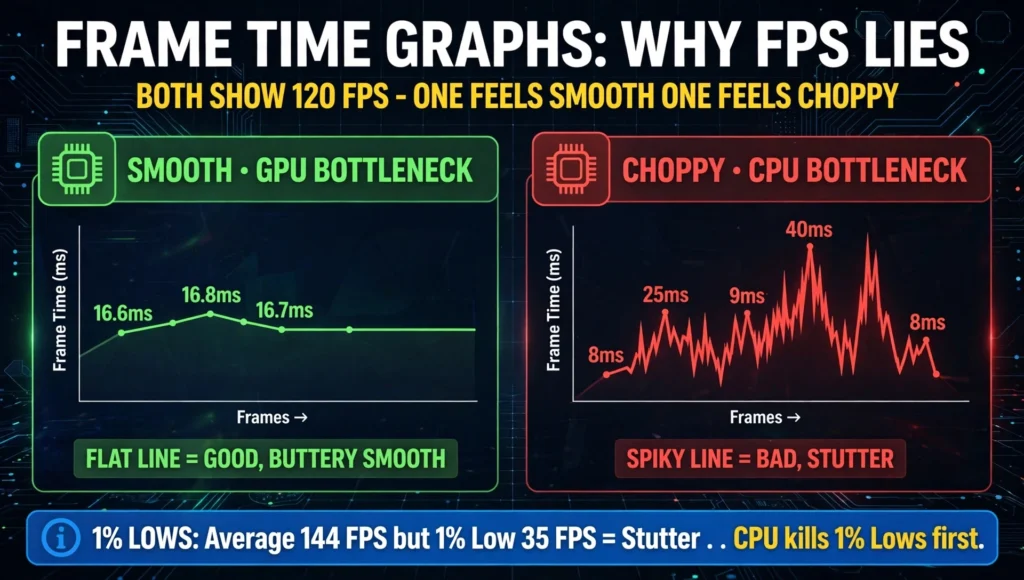
Average FPS is misleading. Two PCs can both show 120 FPS, but one feels buttery smooth and the other feels choppy.
The reason is frame time. Frame time is how long it takes to draw each frame.
- GPU bottleneck: Frame time is high but stable. Example: 16.6ms, 16.8ms, 16.7ms. The game feels consistent.
- CPU bottleneck: Frame time jumps up and down. Example: 8ms, 25ms, 9ms, 40ms, 8ms. This is stutter. Your average FPS looks good, but the game feels terrible.
In MSI Afterburner, look at the frametime graph. A flat line is good. A spiky line means CPU bottleneck or RAM problem.
Also check 1% Lows. If your average is 144 FPS but your 1% Low is 35 FPS, you will feel stutter in fights. A CPU bottleneck kills your 1% Lows first.
CPU Bottleneck Fix: Without Buying New Hardware
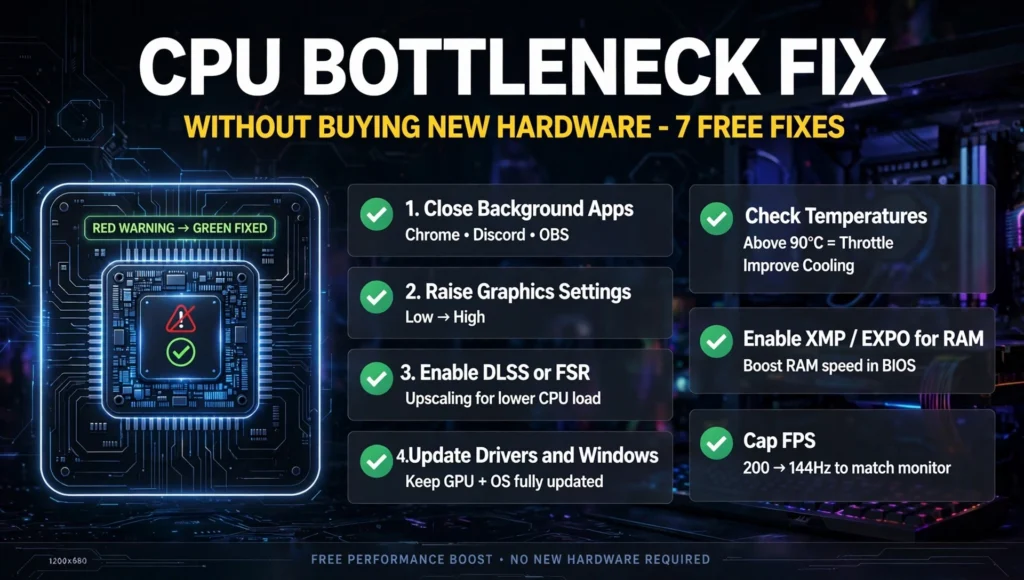
Try these before spending money. This is a proper CPU bottleneck fix checklist:
1. Close background apps: Close Chrome, Discord overlay, and OBS if you are not streaming. These eat CPU cores.
2. Raise graphics settings: Turn textures and shadows from Low to High. This gives the GPU more work and reduces CPU pressure.
3. Enable DLSS or FSR: In supported games, this can help balance the load.
4. Update drivers and Windows: Old drivers can waste CPU cycles.
5. Check temperatures: If your CPU is above 90C, it will throttle. Clean your cooler and check thermal paste.
6. Enable XMP / EXPO for RAM: Slow RAM makes CPU bottleneck worse. Enable it in BIOS.
7. Cap FPS slightly: If you get 200 FPS but your monitor is 144Hz, cap at 144 FPS. This frees CPU headroom.
If you still have a bottleneck after all this, then it is time to think about a CPU upgrade.
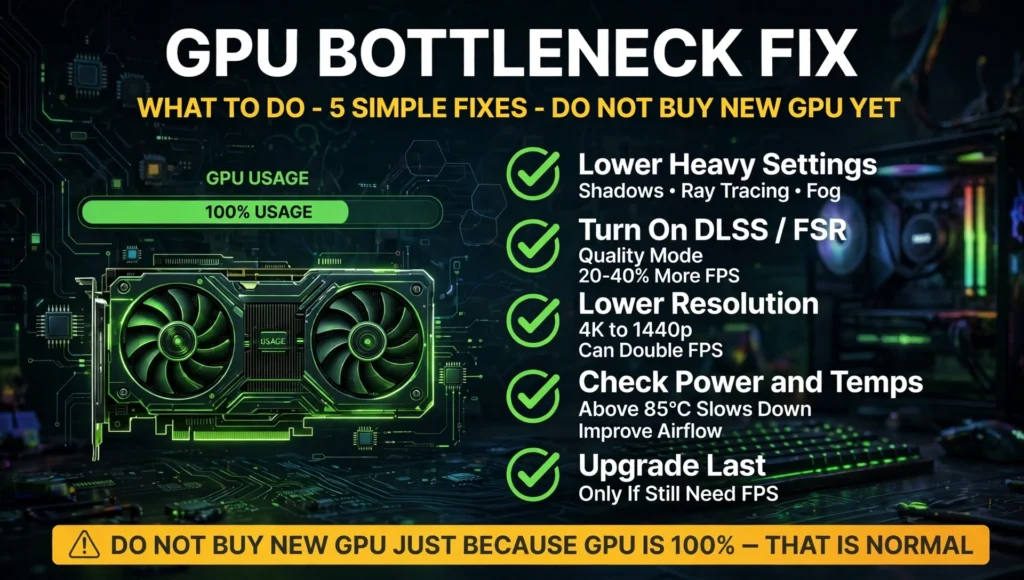
GPU Bottleneck Fix: What To Do
A GPU bottleneck fix is simpler:
1. Lower heavy settings: Shadows, ray tracing, and volumetric fog hit GPU hardest. Lower those first.
2. Turn on DLSS / FSR Quality mode: You get 20-40% more FPS with almost same visual quality.
3. Lower resolution: Moving from 4K to 1440p can double FPS.
4. Check power and temps: If GPU is above 85C, it will slow down. Improve case airflow.
5. Upgrade last: A GPU bottleneck is not a fault. Only upgrade if you need more FPS after lowering settings.
Do not buy a new GPU just because GPU usage is 100%. That is what it is supposed to do.
Should You Upgrade CPU or GPU First?
- Use this simple rule: If you play competitive games like Valorant, CS2, Fortnite and you get stutter, upgrade CPU first.
- If you play AAA story games like Cyberpunk, Alan Wake 2, Black Myth Wukong and you want better graphics, upgrade GPU first.
- If you are at 1080p, CPU matters more. If you are at 4K, GPU matters more.
Never upgrade based on a calculator percentage alone. Always check your real usage in your real game.
Final Verdict: Which Bottleneck Is Worse?
For CPU vs GPU bottleneck gaming, a GPU bottleneck is normal and usually fine. Your game will just run at lower FPS but stay smooth.
A CPU bottleneck is worse because it causes stutter, low 1% Lows, and inconsistent gameplay. You can have a great GPU and still feel lag because your CPU cannot feed it fast enough.
The best PC is not the one with no bottleneck. It is the one where the GPU is at 95-100% and the CPU has a little room left. That is a balanced, smooth PC.
So stop worrying about a calculator number. Open MSI Afterburner, check your per-core CPU usage, GPU usage, and frametime, and you will know exactly what to fix in 90 seconds.
FAQs – CPU vs GPU bottleneck gaming
What is a bottleneck in gaming in simple words?
It is when one part of your PC is slower than the other and holds back performance. If CPU is slow, GPU waits. If GPU is slow, CPU waits. Every PC has some bottleneck.
Are bottleneck calculators accurate?
No. They use generic formulas and ignore your game, settings, resolution, RAM speed, and temperatures. Use MSI Afterburner to check real usage instead of trusting a percentage.
Is 100% GPU usage a bottleneck?
Yes, but it is a good bottleneck. It means your GPU is fully used and your CPU is not holding it back. This is normal in AAA games at high settings.
Is CPU bottleneck worse than GPU bottleneck?
Yes. A GPU bottleneck lowers FPS smoothly. A CPU bottleneck causes stutter, frame spikes, and low 1% Lows, which feels much worse in competitive games.
Can a bottleneck damage my PC?
No. A bottleneck cannot damage hardware. It only limits performance. High temperatures from a bottleneck can cause throttling, but not direct damage if cooling is okay.
Why is my CPU at 100% while gaming?
Your CPU is struggling to keep up with game logic, physics, and background apps. Close Chrome and Discord, enable XMP, and check if one core is maxed. You may need a CPU upgrade.
Does RAM cause bottleneck in gaming?
Yes. Slow or low RAM can make CPU bottleneck worse. 16GB is minimum in 2026, 32GB is ideal. Dual-channel RAM and XMP enabled make a big difference in FPS.
How do I fix CPU bottleneck without upgrading?
Close background apps, raise graphics settings to shift load to GPU, cap FPS to your monitor refresh rate, enable DLSS/FSR, and check CPU temperatures. These free fixes solve most minor bottlenecks.
Should I upgrade CPU or GPU first?
Upgrade CPU first for competitive games and stutter. Upgrade GPU first for AAA games and better graphics. At 1080p CPU matters more, at 4K GPU matters more.
Can a CPU bottleneck at 45% total usage?
Yes. Games use 1-2 cores heavily. If one core hits 100% while total shows 45%, you still have a CPU bottleneck. Always check per-core usage, not total usage.