LiDAR vs Camera Robot Vacuum: Which Wins in 2026?
If you are shopping for a LiDAR vs camera robot vacuum, you have probably seen the same two words on every box: laser navigation and camera navigation. Both promise a…
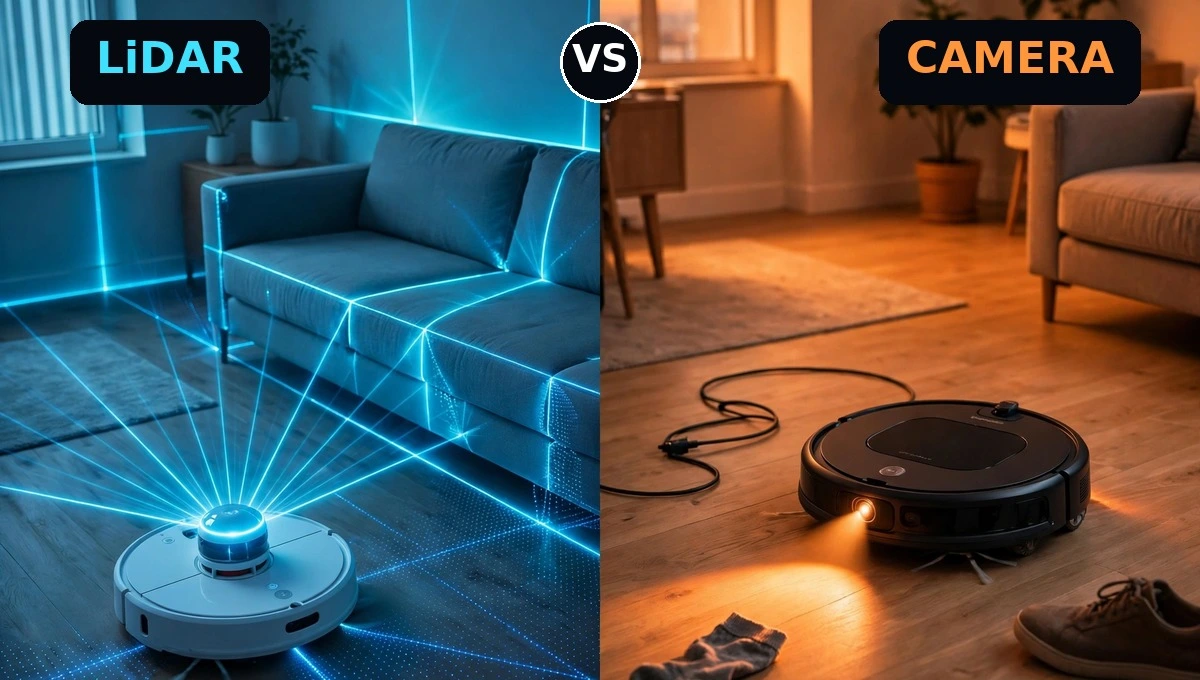
If you are shopping for a LiDAR vs camera robot vacuum, you have probably seen the same two words on every box: laser navigation and camera navigation. Both promise a smart clean with no random bumping. Both can be right, but they are right for different homes.
The short answer is simple. LiDAR wins on mapping, dark rooms and large homes. A camera wins on seeing small clutter and fitting under low furniture. In plain words, this laser navigation vs camera navigation robot vacuum choice comes down to light, height and clutter. This guide explains how each one works, so you can pick the LiDAR vs camera robot vacuum that fits your rooms, your light and your pets, and buy it once.
LiDAR vs Camera Robot Vacuum at a Glance
| Feature | LiDAR | Camera (vSLAM) |
|---|---|---|
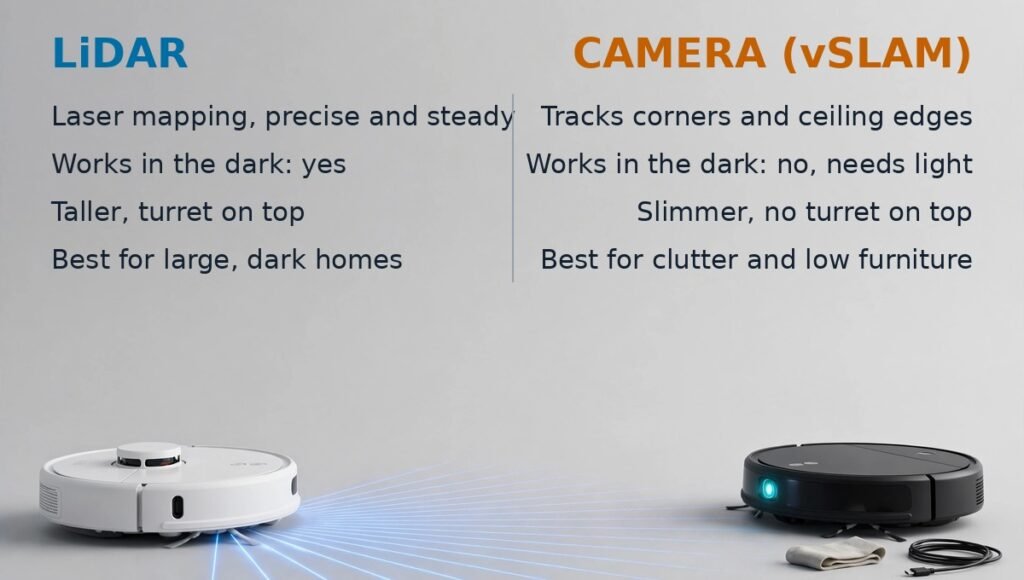
| How it maps | Laser pulses measure distance to walls and furniture | Camera tracks visual features like corners and ceiling edges |
| Works in the dark | Yes, the laser makes its own light | No, it needs light to see clearly |
| Map accuracy | Very precise and steady | Good in bright rooms, less steady in dim rooms |
| Height | Taller, the turret adds height | Slimmer, no turret on top |
| Obstacle spotting | Sees shapes and distance, not what things are | Can recognise cables, socks and pet waste on some models |
| Best for | Large homes, dark rooms, many rooms | Bright homes, cluttered floors, low furniture |
| Privacy | No camera images of your home | Some models take obstacle photos, check the settings |
How Does a LiDAR Robot Vacuum Work?
LiDAR is one of the two main robot vacuum navigation types. LiDAR stands for Light Detection and Ranging. A small turret on top of the robot spins and sends out rapid laser pulses. Each pulse bounces off a wall or a chair leg and comes back. The robot times the return trip and works out how far away that object is. Do that thousands of times a second and you get a floor plan.
Because the laser makes its own light, a LiDAR robot vacuum maps your home the same way whether the lamps are on or off. That is why it is so good at room by room cleaning, no go zones and multi floor mapping. It knows where it is, it knows where it has been, and it cleans in neat rows instead of wandering.
The trade off is height. A standard LiDAR model stands around 10 cm tall because of the turret. Measure the gap under your sofa and bed before you buy. If the gap is under 10 cm, a fixed turret model will not fit under it and that dust will stay there.
Some newer flagships fix this with a retractable turret. One example, the Roborock Saros 10, drops to 79.8 mm when it slides under a sofa. You pay flagship money for that trick.
LiDAR also has one blind spot. Glass and mirrors can confuse it, because the laser can pass through glass or bounce off a mirror and read the room wrong. In most homes that is a small quirk, not a deal breaker.
How Does a Camera Robot Vacuum Work?
In a lidar vs vslam robot vacuum comparison, the camera side is vSLAM, which stands for Visual Simultaneous Localization and Mapping. That is a long name for a simple idea. A camera on the robot watches the room as it moves, picks out features like a door frame, a lamp edge or a pattern on the ceiling, and uses those points to work out where it is and build a map.
In a bright room this works well. The map is good, the cleaning path is neat, and there is no turret on top, so the robot is slimmer and slides under more furniture. That slimmer body is a real win if you have a low sofa or a low bed frame.
In a dim room it struggles. A camera needs light to see. Turn the lights off and it has less to work with, so it finds its place more slowly and the map can drift. If you run your robot at night with the lights off, or in a windowless room, this matters a lot.
Robot Vacuum Mapping Technology: What a Map Actually Gives You
Mapping is the part that changes daily cleaning. A robot vacuum that maps your house can clean one room at a time, skip a room, avoid a rug, and return to its dock and resume where it left off. A robot with no real map just bumps around and hopes for the best.
Both LiDAR and camera systems build a map. The difference is how fast and how steady that map is. LiDAR usually builds it faster and holds it better across rooms and floors, which is why it suits large homes. A camera map is fine in a small bright flat, and it gets better each time the robot runs the same route.
If your robot keeps getting lost, the cause is often the navigation type meeting the wrong home. A camera model in a dark room, or a LiDAR model faced with a wall of glass, will both struggle.
Can a LiDAR Robot Vacuum Work in the Dark?
Yes. This is LiDAR’s clearest win. The laser makes its own light, so it maps and cleans in a dark room just as well as in a bright one. If you schedule cleans at night, or you have rooms with no windows, a LiDAR model will not miss a beat.
A camera model is the opposite. It needs light to clean well. Some models carry a small LED to help the front camera see clutter, but that light is for spotting objects close by, not for mapping a dark room. So if night cleaning is your plan, pick LiDAR.
One quirk affects both types. Very dark or black floors can fool the cliff sensors under the robot, which read the dark surface as a drop and refuse to cross it. If you have a black rug, test it early while you can still return the robot.
Obstacle Avoidance Is Not the Same as Mapping
In a LiDAR vs camera robot vacuum comparison, mapping and obstacle spotting are two separate scores, and most articles skip that distinction. Mapping tells the robot where the rooms are. Obstacle avoidance tells it what is on the floor right in front of it.
LiDAR is excellent at mapping, but on its own it only sees shapes and distance. It knows something is there. It does not know if that something is a shoe, a cable or pet waste.
A front camera with AI can know what the thing is. Some camera models, like the Roomba j series with PrecisionVision, can spot cables, socks, toys and pet waste and steer around them. That is a genuine win for pet owners and for homes with cables on the floor.
Many modern robots now pair the two systems. LiDAR builds the map and a camera handles obstacle spotting. That hybrid is the best of both worlds, and it is worth looking for if your budget reaches it. Other models use structured light, which projects a pattern of light onto the floor and reads how it bends around objects, to spot small clutter without a full camera.
So ask two questions before you buy, not one. How does it map, and how does it avoid clutter? A robot can be great at one and weak at the other.
Height, Floors and Large Homes
For a large home, LiDAR is the safer pick, and it is usually the best robot vacuum for large homes. It maps fast, handles many rooms, and stores multi floor maps. For a small bright flat with low furniture, a camera model can be the smarter pick. It is slimmer, it often costs less, and its obstacle camera is handy if the floor is rarely tidy.
For a home with pets, look past the navigation label and check the obstacle system. A LiDAR only robot, like the Shark AV2501S AI robot vacuum, maps with 360 degree LiDAR and cleans in neat rows, but it has no camera obstacle avoidance, so cords and socks can still stop it.
Do Robot Vacuums With Cameras Record You?
This is a fair question, and the honest answer is that it depends on the model. A navigation camera looks up at the ceiling and tracks features to build a map. A front obstacle camera looks at the floor to spot clutter. Neither one is a security camera, but some models do take photos.
On Roomba models with PrecisionVision, for example, an optional feature called Obstacle Image Review can capture a photo of an obstacle and show it to you in the app, so you can tell the robot how to handle it next time. That feature is optional, and you can turn obstacle detection off in the app on most models.
A LiDAR only robot takes no images of your home at all, because it has no camera to take them with.
Before you buy a camera model, check if you can turn the camera features off, where images are stored, and how long the maker keeps them. If the listing does not say, ask before you buy.
What the Navigation Type Does to the Price
Navigation is a big part of what you pay for. Basic camera models and random navigation robots are the cheapest, often around $150 to $300, and they suit small flats. Solid LiDAR models with room mapping and no go zones usually sit around $300 to $600, which is the sweet spot for most homes. Hybrids that pair LiDAR with an AI camera, plus a self emptying or mop washing dock, start around $600 and climb from there. Treat these as typical ranges, not promises, because sales move robot vacuum prices a lot.
Which Robot Vacuum Navigation Is Best?
There is no single winner in a LiDAR vs camera robot vacuum comparison. The best navigation is the one that fits your home.
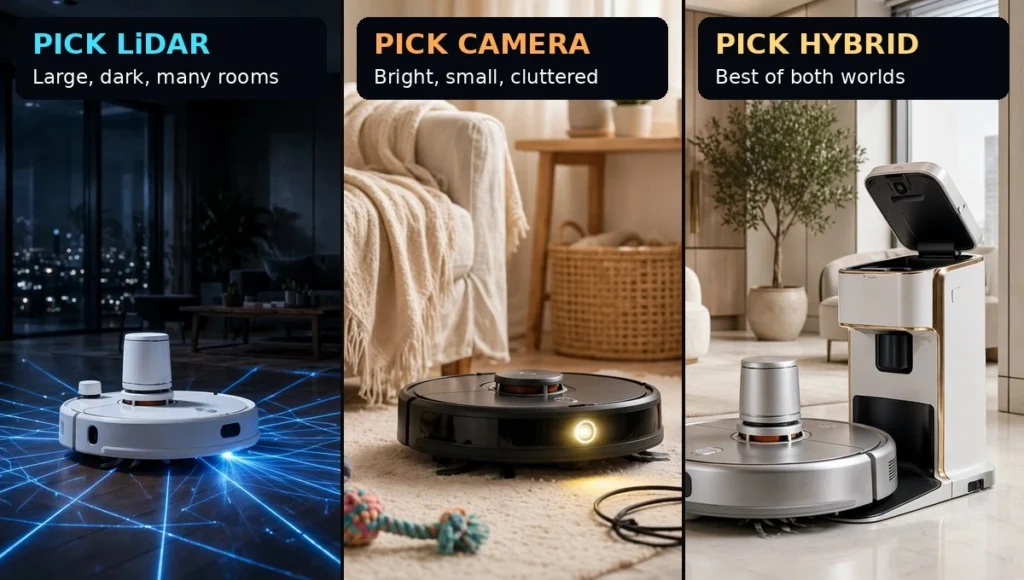
Pick LiDAR if you have a large home, many rooms, dark rooms, or you run cleans at night. You get a fast precise map, steady multi floor cleaning, and no worry about the lights.
Pick a camera model if your home is bright, your rooms are small, your furniture is low, and your floor often has cables, socks or pet mess on it. You get a slimmer robot and smarter obstacle spotting for less money.
Pick a hybrid, LiDAR plus a camera, if you can stretch the budget and you want both. It maps like LiDAR and sees clutter like a camera, and it is the closest thing to a robot that just works.
What to Check Before You Buy
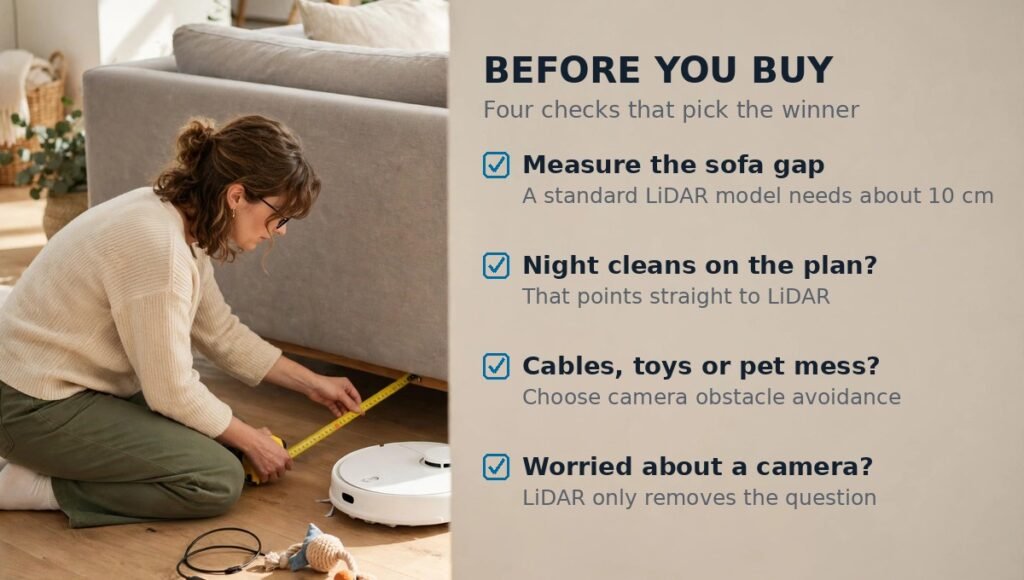
Measure the gap under your sofa and bed, then compare it with the robot height. A standard LiDAR model needs about 10 cm.
Check when you will run it. Night cleans point to LiDAR. Day cleans in bright rooms suit either type.
Check your floor. Cables, pet toys and pet waste point to a model with camera obstacle avoidance. Thick carpet and pet hair point to suction and brush design, not navigation.
Check your privacy comfort. If a camera in the home bothers you, a LiDAR only model removes the question entirely.
LiDAR vs Camera Robot Vacuum: Final Verdict
So, which one wins this LiDAR vs camera robot vacuum comparison? For most homes, LiDAR is the safer first pick, because a fast steady map in any light is the foundation everything else sits on. But a camera model is not a lesser robot. In a bright home with low furniture and a cluttered floor, it can be the better buy, and it will cost you less.
Do not buy the technology. Buy the fit. Match the navigation to your light, your rooms, your furniture height and your pets, and the robot you pick will clean well on day one and keep cleaning well after that.
FAQs – LiDAR vs Camera Robot Vacuum
Is LiDAR better than a camera on a robot vacuum?
In a LiDAR vs camera robot vacuum comparison, LiDAR wins on mapping. It builds a faster, more precise map and works in the dark. For spotting small clutter, a camera can be better. The best robots pair LiDAR mapping with a camera for obstacle spotting.
Which robot vacuum navigation is best?
LiDAR is best for large homes, dark rooms and multi floor cleaning. A camera system is best for bright homes with low furniture and cluttered floors. A hybrid of LiDAR plus a camera is best overall if your budget reaches it.
Can a LiDAR robot vacuum work in the dark?
Yes. LiDAR uses its own laser light to measure distance, so it maps and cleans just as well with the lights off. That makes it the right pick for night cleaning and windowless rooms.
Do camera robot vacuums need light to clean?
Yes, they need light to map well. A camera tracks visual features, so in a dim room it finds its place more slowly and the map can drift. Some models use a small LED for obstacle spotting, but that does not fix dark room mapping.
Do robot vacuums with cameras record you?
Not as a security camera, but some models take photos of obstacles. On Roomba models this is an optional feature you can review in the app. Check the settings before you buy, and pick a LiDAR only model if you want no camera at all.
Does a robot vacuum map your house?
A LiDAR or camera robot builds a map of your rooms as it cleans. That map lets you clean one room, set no go zones and use multi floor maps. A cheap robot with no mapping just bumps around in random paths.
Why does my robot vacuum keep getting lost or losing its map?
It is often the wrong navigation for the room. A camera model can lose its place in the dark, and a LiDAR model can be confused by glass and mirrors. Check the light, clear the floor, and let it rebuild the map from its dock.
Is a LiDAR robot vacuum worth it for a small flat?
It can be, but it is not always needed. A small bright flat is fine with a camera model, and you save money and gain a slimmer body. Pick LiDAR for a small flat only if you clean at night or have many rooms.
What is structured light obstacle avoidance?
Structured light projects a pattern onto the floor and watches how it bends around objects. It helps a robot spot small clutter like cables without a full camera. Some models pair it with LiDAR or a camera for better avoidance.
Do I need LiDAR and a camera, or is one enough?
One is enough for most homes. LiDAR alone suits large dark homes. A camera alone suits small bright homes. You need both only if you want top mapping and top obstacle spotting in the same robot.
Do robot vacuums struggle on black or dark floors?
They can. Cliff sensors sometimes read a very dark floor as a drop, so the robot refuses to cross a black rug. Camera models also lose visual detail on dark carpets. Test dark floors early, while the return window is still open.
Which robot vacuum fits under low furniture?
A camera model, because it has no LiDAR turret on top. Slim camera robots can be around 8 cm tall, while a standard LiDAR model is around 10 cm. Measure the gap under your sofa or bed first, then match the robot height to it.