Handheld Gaming PC vs Gaming Laptop: Which to Buy? (2026)
If you have $700 to $1,000 to spend, this is the hardest choice in portable gaming right now. Do you buy a handheld gaming PC vs gaming laptop? Both play…
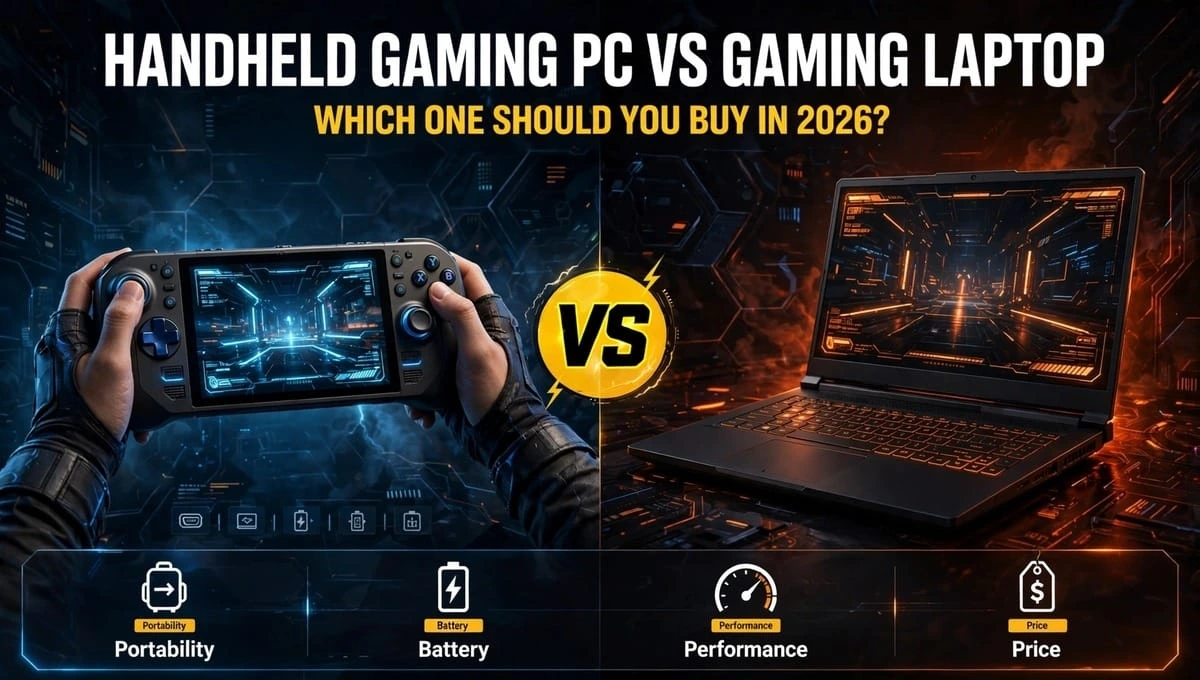
If you have $700 to $1,000 to spend, this is the hardest choice in portable gaming right now. Do you buy a handheld gaming PC vs gaming laptop?
Both play the same PC games. Both let you play away from your desk. But they feel completely different in real life.
A gaming laptop is a full computer with a keyboard, big screen, and powerful graphics card. A handheld is a small device you hold like a controller, with the screen and controls built in.
There is no single winner. The right choice depends on how you play, where you play, and what else you need the device to do. This guide compares them honestly, with real 2026 prices and FPS, so you can decide in 5 minutes.
1. Portability: Where You Actually Play
This is the biggest difference in the whole gaming laptop vs handheld PC debate.
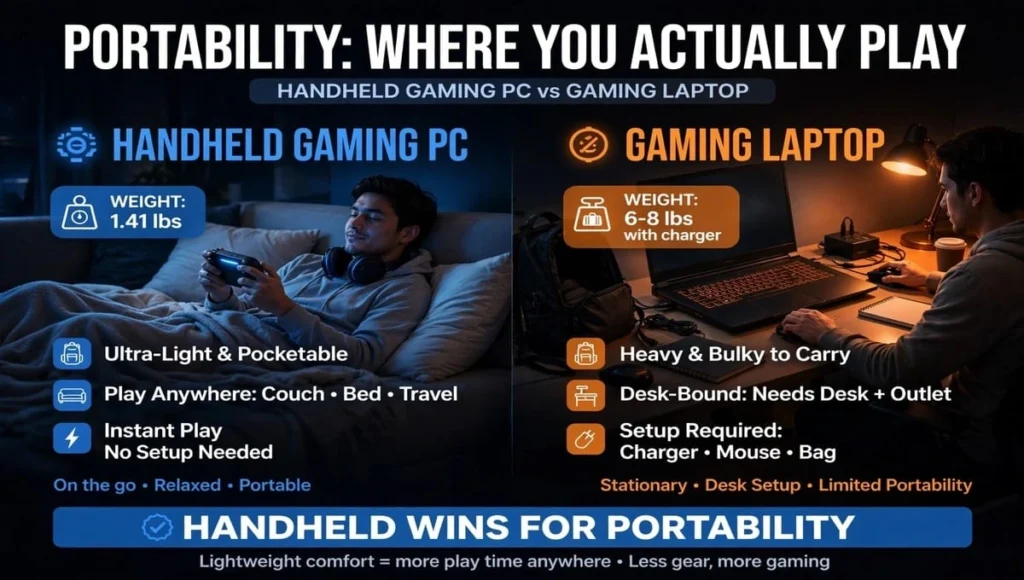
Handheld Gaming PC Wins for Real Portability
A Steam Deck OLED weighs 1.41 lbs. A ROG Ally X weighs 1.49 lbs. A Legion Go 2 weighs 1.9 lbs.
You can play in bed, on a couch, on a bus, on a plane, or standing in a kitchen. You do not need a table. You just pick it up and press power. It wakes up in 2 seconds, right where you left off.
That is why people call it “pick up and play.”
Gaming Laptop Needs a Setup
Most gaming laptops weigh 4.5 to 6.5 lbs. With the charger, it is 6 to 8 lbs in your bag.
You need a flat surface, space for a mouse, and a power outlet for full performance. On a plane, it is awkward. In bed, it gets hot on your legs.
Winner for portability: Handheld, by a huge margin.
Winner for comfort on long sessions: Laptop, because of bigger screen and normal sitting posture.
- If you travel a lot, commute, or love couch gaming, portability wins over power.
2. Portable Gaming Performance: How Many FPS Do You Really Get?
This is where laptops fight back.
Laptops have dedicated GPUs like RTX 4050, RTX 4060, and RTX 4070. Handhelds use integrated chips like AMD Z1 Extreme or Z2 Extreme. They are powerful for their size, but they have a much smaller power budget, usually 15W to 30W vs 80W to 140W in a laptop.
Here is what that means in real games:
| Game | Steam Deck OLED (720p Low-Med) | ROG Ally X (1080p Med) | RTX 4060 Laptop (1080p High) |
| Fortnite | 55-60 FPS | 70-80 FPS | 120+ FPS |
| Cyberpunk 2077 | 30-35 FPS | 35-45 FPS | 65-75 FPS with DLSS |
| Elden Ring | 35-40 FPS | 45-55 FPS | 60 FPS locked |
| GTA V / Indie Games | 60 FPS | 90-120 FPS | 144 FPS |
What This Feels Like
Handheld: Most AAA games run at 30-60 FPS on low to medium settings. Indie games, older games, and esports titles run at 60-120 FPS and feel great.
Laptop: Most AAA games run at 60-100 FPS on high settings. You can turn on ray tracing. You get a 144Hz or 165Hz screen that feels much smoother in competitive games.
In Steam Deck vs gaming laptop performance, the laptop is 2x to 3x faster in heavy games. That gap is real.
But here is the trick: On a small 7-inch screen, 40 FPS looks much smoother than 40 FPS on a 15-inch screen. Handhelds hide low FPS better.
Winner for performance: Gaming laptop.
Winner for “good enough” portable gaming: Handheld for indie, older, and casual AAA games.
3. Battery Life: handheld gaming PC vs gaming laptop
Battery life changes completely based on what game you play.
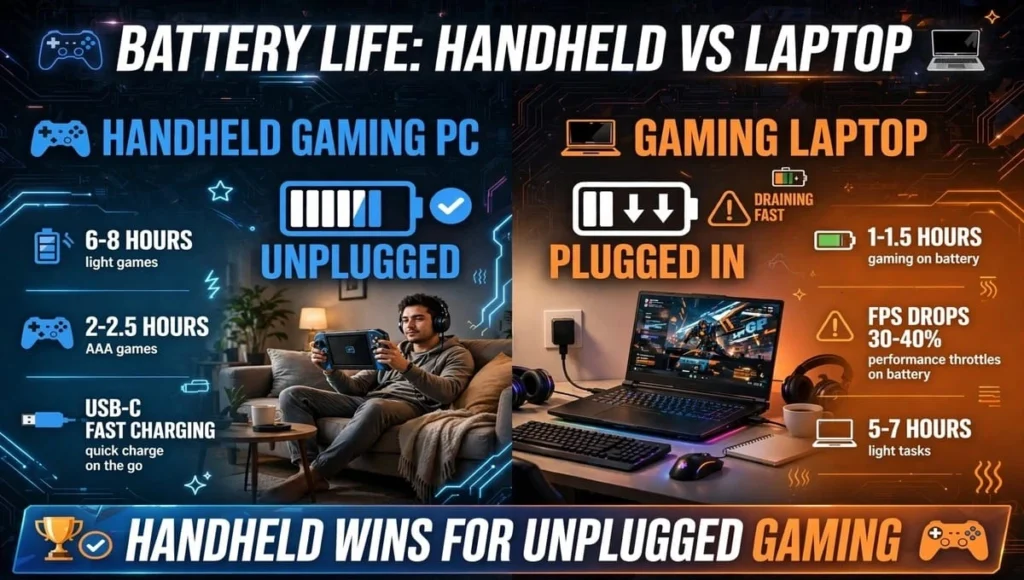
Handheld Battery Life
- Light games (Hades, Stardew Valley, Vampire Survivors): 6 to 8 hours on Steam Deck OLED
- AAA games (Elden Ring, Cyberpunk): 2 to 2.5 hours
- Charging: USB-C, 0 to 50% in about 30-45 minutes
Gaming Laptop Battery Life
Light tasks (YouTube, homework): 5 to 7 hours
Gaming on battery: 1 to 1.5 hours, and FPS drops by 30-40%
Gaming plugged in: Full performance, but you are tied to a wall
Most laptop gamers play plugged in. Most handheld gamers play unplugged. That is the real difference.
Winner for unplugged gaming: Handheld.
Winner for all-day work + gaming: Laptop, if you keep the charger with you.
4. Game Compatibility: Can You Play Everything?
This is where many buyers get confused.
Windows Handhelds (ROG Ally, Legion Go)
These run Windows 11. They play almost everything a laptop plays: Steam, Epic Games, Xbox Game Pass, Ubisoft Connect, Battle.net, and games with anti-cheat like Fortnite, Valorant, and Warzone.
Downside: Windows on a 7-inch screen is clunky. You sometimes need to use the touchscreen to click small buttons.
Steam Deck (SteamOS)
Steam Deck runs SteamOS, based on Linux. It plays 95% of Steam games through Proton, a compatibility layer. It feels like a console: super simple, super fast.
Downside: Some games with strict anti-cheat do not work well. Fortnite, Valorant, and some Game Pass games need workarounds or do not run at all. Epic Games needs extra setup.
Gaming Laptop (Windows)
A laptop runs everything. No workarounds. No compatibility list to check. If it runs on PC, it runs on a laptop.
Winner for compatibility: Gaming laptop and Windows handhelds tie.
Winner for simplicity: Steam Deck, if you mainly play Steam games.
5. Screen, Controls, and Comfort
Handheld: 7 to 8.8-inch screen, 720p to 1080p, 90Hz to 144Hz. Built-in controller. Great for controller games. Bad for strategy games, typing, or games that need a mouse.
Laptop: 14 to 17-inch screen, 1080p to 1440p, 144Hz to 240Hz, often OLED in 2026. Keyboard + mouse. Much better for shooters, strategy, and competitive games.
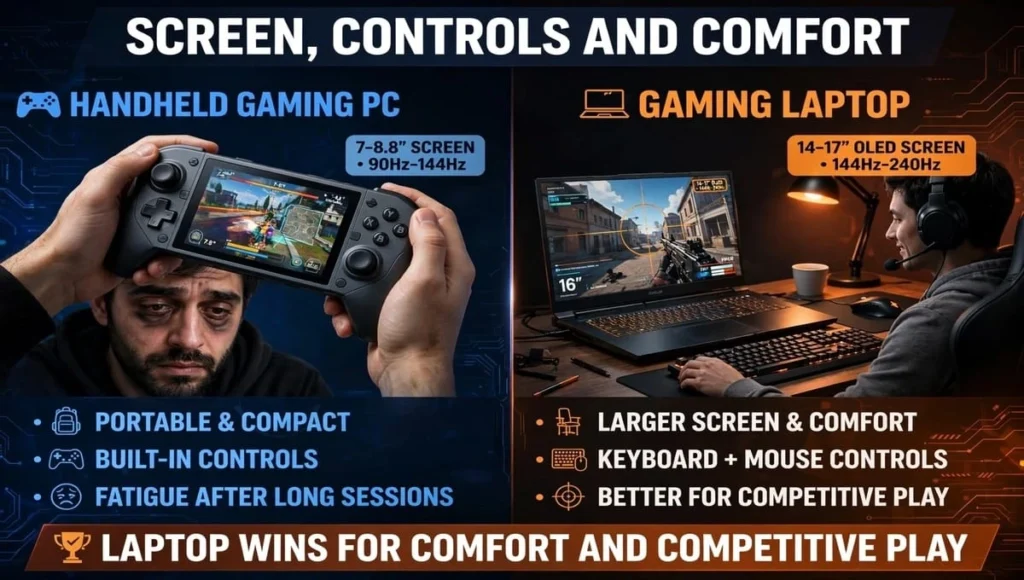
Eye strain is real. After 2-3 hours on a handheld, your eyes and hands get tired. A laptop lets you sit back at a normal distance.
Pro Tip: You can dock a handheld to a TV or monitor. Add a keyboard and mouse, and it becomes a mini PC. It works, but it is not as smooth as a laptop.
6. Repairability and Upgrades – handheld gaming PC vs gaming laptop
This is a hidden cost most articles ignore.
Gaming Laptop: You can usually upgrade RAM and SSD yourself. You can replace the battery, Wi-Fi card, and sometimes the keyboard. Parts are easy to find. A laptop can last 5-6 years with upgrades.
Handheld: Steam Deck is the best here. Valve sells parts, and iFixit gives it a 9/10 repairability score. You can replace SSD, battery, sticks, and screen.
ROG Ally and Legion Go are harder. SSD is upgradeable, but battery and sticks are harder to replace. Still, all handhelds are easier to repair than a phone.
Winner: Laptop for upgrades, Steam Deck for repairability.
7. Total Cost: Not Just the Price Tag
Do not just compare the sticker price. Compare the total setup.
Handheld Total Cost
- Steam Deck OLED 512GB: $549
- ROG Ally X: $799
- Legion Go 2: $899 to $999
- Add: MicroSD card ($30), Dock ($40), Case ($25)
- Total: $644 to $1,094
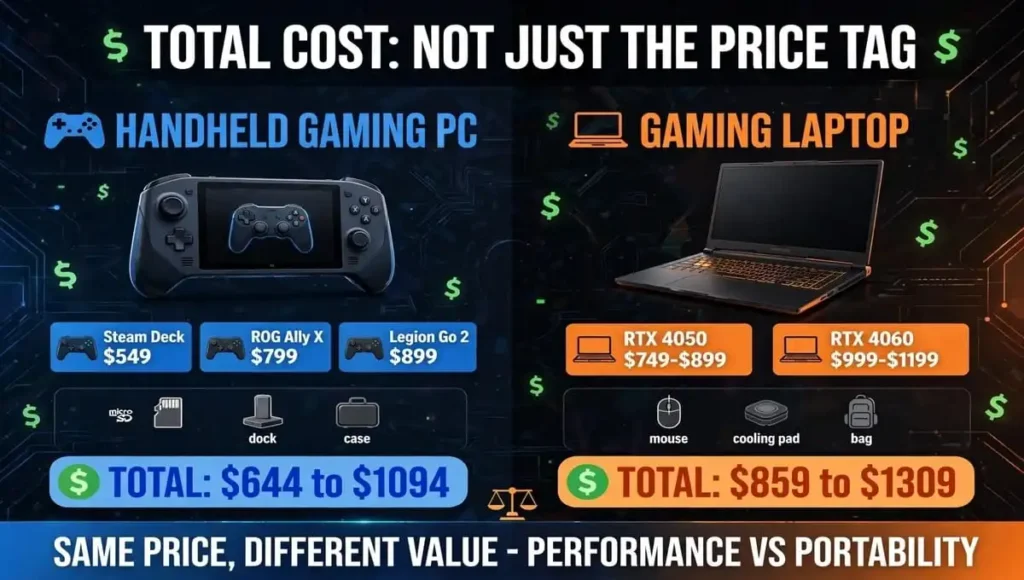
Gaming Laptop Total Cost
- RTX 4050 Laptop: $749 to $899
- RTX 4060 Laptop: $999 to $1,199
- Add: Mouse ($40), Cooling pad ($30), Bag ($40)
- Total: $859 to $1,309
At $800, a handheld and a laptop cost almost the same. The laptop gives you more performance per dollar. The handheld gives you more portability per dollar.
Important: If you already own a good PC or laptop, a handheld is a great second device. If this is your ONLY computer, a laptop is the smarter buy.
Which One Should You Buy? handheld gaming PC vs gaming laptop
This is the portability vs performance decision, made simple.
Buy a Handheld Gaming PC If You Are:
The Traveler / Commuter: You play on planes, trains, buses, or in bed. You want instant play.
Best Pick: Steam Deck OLED or ROG Ally X
The Couch Gamer: You already have a PC or console at home, but you want to play on the couch while family watches TV.
Best Pick: Steam Deck OLED
The Indie / Retro Gamer: You play Hades, Hollow Knight, Stardew Valley, emulation, older AAA games.
Best Pick: Steam Deck OLED — best battery and value
Buy a Gaming Laptop If You Are:
The Student: You need one device for classes, homework, coding, and gaming.
Best Pick: RTX 4060 laptop, 16GB RAM, 512GB SSD
The Competitive Gamer: You play Valorant, Warzone, Fortnite, Apex at 144 FPS+ with mouse and keyboard.
Best Pick: RTX 4060 / 4070 laptop with 165Hz screen
The Creator / Worker: You also edit videos, stream, or do school/work on the same device.
Best Pick: Gaming laptop, no question
Buy Both If You Can – handheld gaming PC vs gaming laptop
Many gamers now own a laptop for desk + a handheld for couch. If you have the budget, this combo beats owning just one expensive laptop.
Final Verdict: Handheld Gaming PC vs Gaming Laptop
So, which one wins the handheld gaming PC vs gaming laptop battle in 2026?
If you want maximum performance, a big screen, and one device that does everything, buy a gaming laptop. It is the safer, more versatile choice.
If you want true portability, instant play, and you already have a main PC, buy a handheld gaming PC. You will play more games, in more places, simply because it is easier to pick up.
The best device is not the most powerful one. It is the one you actually use every day.
FAQs – Handheld Gaming PC vs Gaming Laptop
Is a handheld gaming PC worth it over a laptop?
Yes, if you already own a PC or laptop. A handheld is perfect as a second device for couch and travel gaming. If it is your only computer, a laptop is better value.
Can a handheld gaming PC replace a gaming laptop?
For gaming only, yes for casual and indie games. For school, work, typing, and competitive mouse games, no. A laptop is still needed for productivity and multitasking.
Steam Deck vs gaming laptop, which is better for students?
Gaming laptop. Students need a keyboard, big screen, and Windows for assignments, Zoom, and coding. A Steam Deck is great for gaming breaks, but not as a main study device.
Which has better battery life, handheld or laptop?
Handheld wins for gaming unplugged. Steam Deck OLED gives 6-8 hours on light games and 2-2.5 hours on AAA games. Laptops give only 1-1.5 hours gaming on battery.
Can I play Fortnite and Valorant on Steam Deck?
Not easily. Both use anti-cheat that does not work well on SteamOS. Windows handhelds like ROG Ally and Legion Go play them natively. Laptops play all anti-cheat games.
Is a $999 handheld worth it vs a $999 laptop?
For pure performance, no. A $999 laptop with RTX 4060 is 2x faster. For portability and couch gaming, yes. Choose based on where you play, not just specs.
Do handhelds get hot and loud?
Yes, during AAA games they get warm and fans get loud, similar to a laptop. On indie games they stay cool and quiet. Using a lower TDP setting helps with heat and battery.
Can I dock a handheld to a TV?
Yes. All major handhelds support USB-C docks. You can connect to a TV, monitor, keyboard, and mouse. It works well for casual play, but not as smooth as a laptop.