Streaming Stick vs Smart TV: Which Do You Need in 2026?
Streaming Stick vs Smart TV: Which Do You Need in 2026? Your TV already has Netflix on it, so why does every tech site keep telling you to buy a…
Streaming Stick vs Smart TV: Which Do You Need in 2026?
Your TV already has Netflix on it, so why does every tech site keep telling you to buy a little plastic stick to plug into the back of it? That is the heart of the streaming stick vs smart TV question, and the honest answer is that it depends on what is actually wrong with your current setup. If your TV is slow, missing an app, or no longer getting updates, a stick costing about $50 can fix all three problems in ten minutes. If your TV is new and quick, the same stick adds nothing but a second remote.
It matters more than it used to, because streaming now carries whole games as well as shows, as our Xbox cloud gaming guide shows in its test of console games running through an app.
This guide compares the two routes on cost, app support, updates, performance and picture quality, and it also covers the one case where neither answer is right: when the television itself is the problem and replacing it makes more sense. It also touches on where a streamer fits inside a wider connected home, the ground our smart home automation devices guide covers for the rest of the house
The Short Answer to streaming stick vs smart TV
If your TV picture still makes you happy but the apps feel slow or outdated, buy a streaming stick. It is the cheapest upgrade in home entertainment.
If your TV is under three years old, opens apps quickly and has every service you watch, buy nothing. Your smart TV is doing its job.
If the screen itself disappoints you, buy a new TV. No stick can fix a dull, small or damaged panel.
Do I Need a Streaming Stick if I Have a Smart TV?
Not automatically. A smart TV already does everything a stick does, just with the computer built into the screen instead of sitting in a separate device. The real question is how well your TV’s built in system still works today, because TVs age in two parts. The panel can look great for a decade while the small computer running the apps starts struggling after a few years.
The Three Question Test for streaming stick vs smart TV
Ask yourself these three questions about your current TV:
- Do the menus respond straight away when you press a button, or do you wait and press again?
- Is every app you want actually available, including smaller ones, not just Netflix and YouTube?
- Has the TV received a software update in the last year?
If you answered yes, no, no, in that order, your TV is fine and a stick would be a wasted purchase. If any answer went the other way, a stick is worth a serious look, because it replaces the part of the TV that is failing while keeping the part that still works.
Streaming Stick vs Smart TV at a Glance
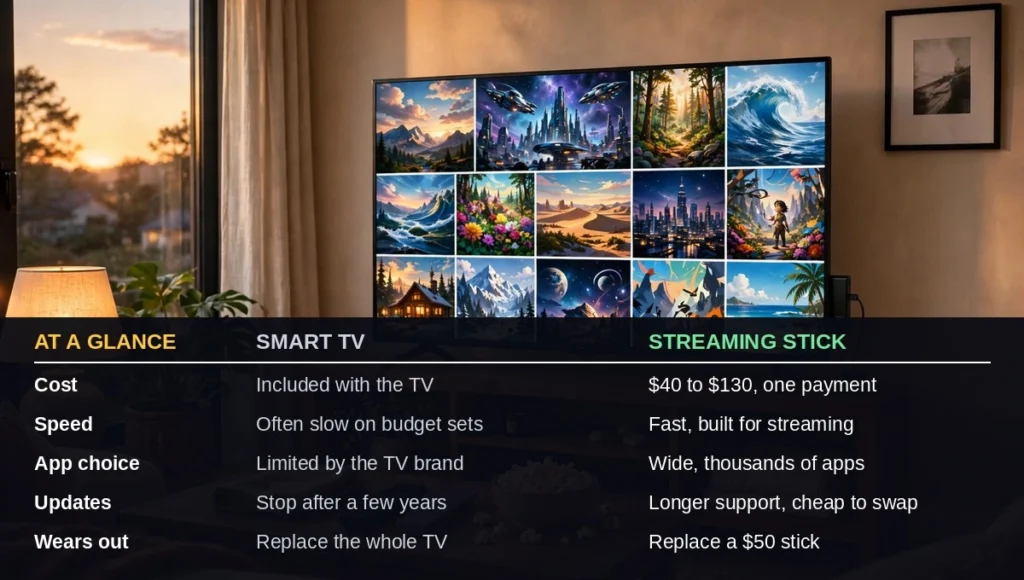
| Factor | Smart TV (built in apps) | Streaming stick |
|---|---|---|
| Upfront cost | Nothing extra, included with the TV | About $40 to $130, one payment |
| Speed | Often slow, especially on budget sets | Fast, built only for streaming |
| App choice | Depends on the TV brand, sometimes limited | Wide, thousands of apps |
| Software updates | Slow down or stop after a few years | Longer support, cheap to replace |
| Picture quality | Set by the TV panel | Still set by the TV panel |
| Sound and formats | Whatever the TV supports natively | Can add Dolby Vision or Atmos the TV apps lack |
| Remote control | One remote for everything | One remote with HDMI-CEC, mostly |
| Privacy | TV tracks viewing by default on many models | Device tracks use, but the TV can be taken offline |
| Moving it | Stays with the TV | Travels to other rooms and hotels |
| When it wears out | You replace the whole TV | You replace a $50 stick |
Performance: Why Your TV Feels Slow
Most people blame their internet when the real culprit is the TV itself. TV makers spend their budget on the panel, because that is what sells sets in a shop. The chip that runs the apps is often an afterthought, closer to a budget phone from several years ago, with around 1.5 to 2 GB of memory and very little storage. Modern apps with animated menus and autoplaying previews are heavy, and that small chip falls behind a little more every year.
Can a Streaming Stick Make a Smart TV Faster?
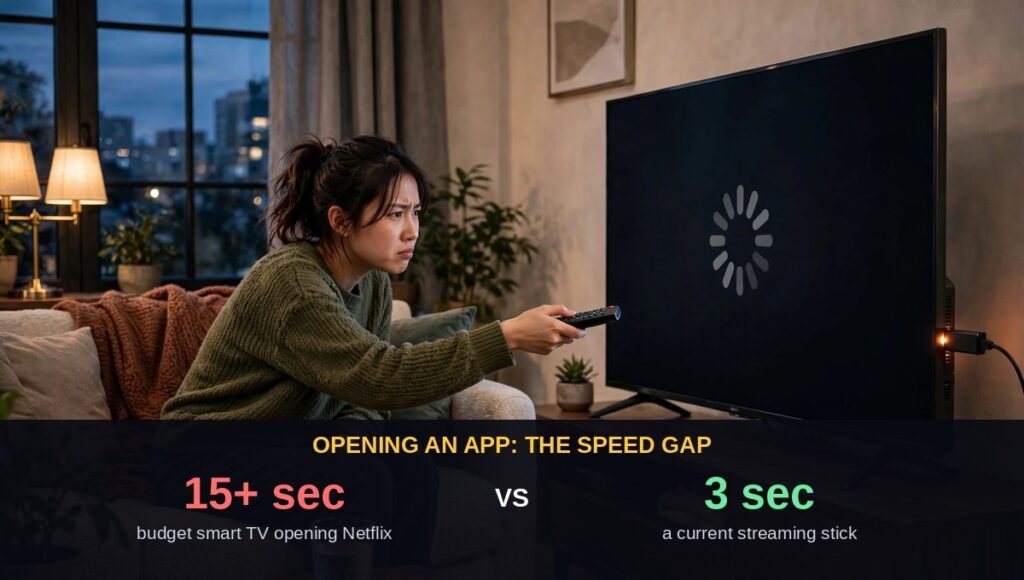
Yes, and this is the single best reason to buy one. A stick does all the thinking itself and sends only the finished picture to the TV, so the TV’s weak chip is bypassed completely. Review tests have found budget smart TV platforms taking 15 seconds or more just to open Netflix, where a current streaming stick needs about 3 seconds. Menus snap instead of stuttering, search results appear as you type, and apps stop crashing halfway through a film. Owners consistently describe an old TV feeling new again, and for once the marketing line is true.
What a Stick Cannot Fix
A stick is not magic. If your shows buffer because the Wi-Fi signal behind your TV is weak, or your internet package is slow, a stick on the same connection will buffer too. Test your connection first: if your phone streams fine in the same room but the TV does not, the TV is the problem and a stick will help. If every device struggles, fix the network before buying anything.
If the network turns out to be the weak link, our Wi-Fi 7 gaming latency guide explains what a newer router improves and what it cannot.
App Support: The Apps You Want Decide This
Netflix, Disney Plus and YouTube are everywhere. The differences show up in everything else.
The Walled Garden Problem
Samsung TVs run Tizen and LG TVs run webOS. App makers have to build separate versions for these systems, and many smaller services never bother. Fitness apps, anime services, local channels, specialist sports apps and VPN apps are often missing entirely. Owners usually discover this only after buying the TV, when the one app they wanted is not in the store.
Sticks run the big platforms: Fire TV, Google TV, Roku and Apple tvOS. These stores hold thousands of apps because developers build for them first. A concrete example: the Xbox cloud gaming app runs on Samsung TVs from 2022 onwards and on Fire TV sticks, but not on Roku and not on most other TV systems. If cloud gaming matters to you, that one fact can settle the whole decision.
Check Before You Buy
Write down the five apps you actually watch every week, then check each one against the platform you are considering. This two minute check matters more than any specification sheet, because a fast device without your app is useless to you.
One more app related bonus: the Apple TV 4K and the Google TV Streamer also work as hubs for a Matter smart home, and our Matter vs Zigbee vs Thread comparison explains why that is worth having.
Fire TV vs Smart TV: The Version Most People Mean
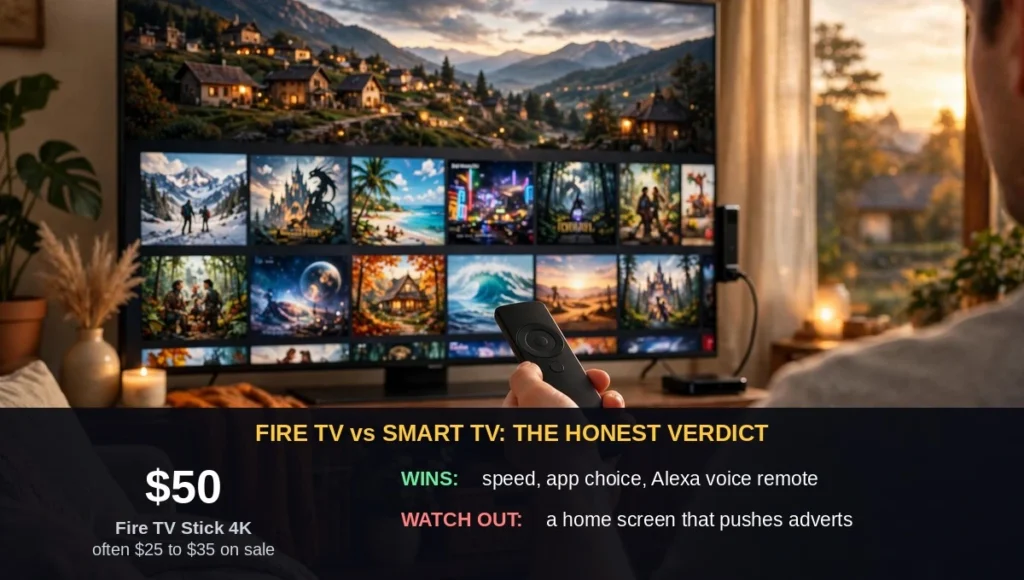
When most people say streaming stick, they mean Amazon’s Fire TV Stick, so the Fire TV vs smart TV comparison deserves its own honest look. The Fire TV Stick 4K costs about $50, drops to $25 or $35 in sales, supports Dolby Vision and Dolby Atmos, and its remote has Alexa built in for voice search and smart home control.
Against a smart TV, Fire TV wins on speed, app choice and price. It loses on two things worth admitting. The home screen pushes Amazon content and adverts hard, and the interface is built to steer you toward Prime Video. Roku’s home screen is calmer and more neutral, which is why many families prefer it. Also, if your TV already runs Fire TV software built in, as some Toshiba, Insignia and Panasonic models do, adding a Fire TV Stick only helps if the TV itself has become slow.
The voice side keeps improving as well, and our conversational AI guide shows how natural these assistants have become at understanding what you ask for.
Updates: How Long Each Side Stays Current
This is where the two options age very differently, and it is the argument that wins in the long run.
TV makers have improved lately. Samsung now promises up to seven years of system updates on its newer TVs, and LG runs a multi year upgrade program for recent webOS models. But that generosity only covers newer sets. Millions of older TVs stopped receiving meaningful updates after two or three years, and when support ends, apps quietly follow: first they stop gaining features, then they stop working at all. This is how a perfectly good screen becomes useless for streaming.
Stick makers live or die by their platform, so they support devices longer, and Amazon promises years of security updates for Fire TV models after they stop selling them. More importantly, when a stick finally does age out, replacing it costs about $50. When a TV’s software ages out, the traditional fix was replacing a television that cost ten times more. A stick turns the fastest ageing part of your TV into the cheapest part to renew.
Streaming Stick vs Smart TV Picture Quality: What Actually Changes
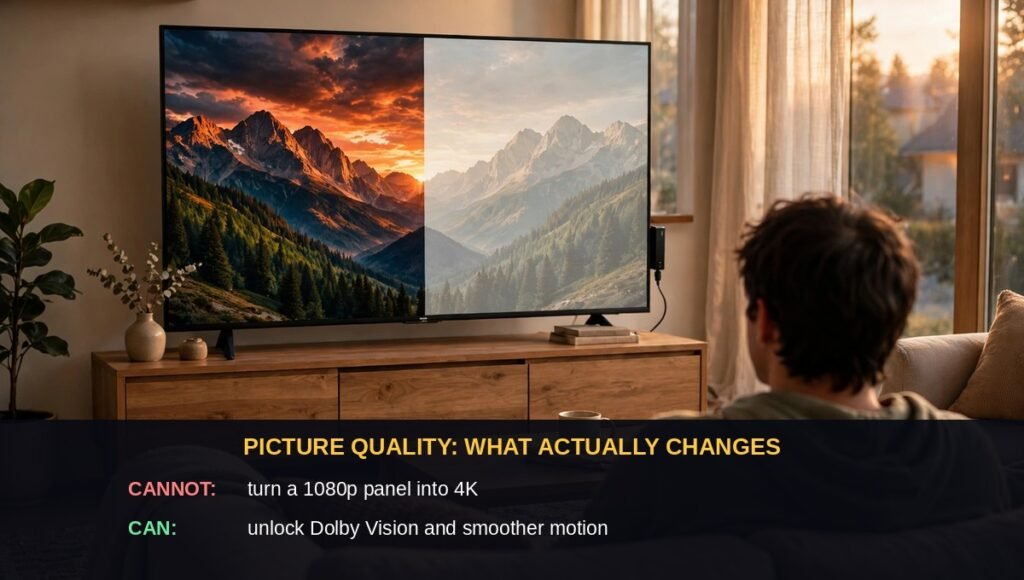
Here is the myth to clear up first: a streaming stick cannot improve your TV’s picture beyond what the panel can show. A 1080p TV stays a 1080p TV no matter what you plug into it, and a dull panel stays dull. Anyone who tells you a stick will make an old TV look 4K is selling you something.
When a Stick Can Look Better
There are two narrow cases where a stick genuinely helps. First, formats: your TV might support Dolby Vision in its specifications while its built in Netflix app only delivers plain HDR, or the app might be too old to support the newest formats at all. A current stick feeding the same TV can unlock the better format the panel was always capable of. Second, smoothness: some sticks match the frame rate of the film or show, which reduces the judder you see in slow camera pans. These are refinements, not transformations.
When It Cannot
If the panel is the limit, only a new panel fixes it. Washed out colours, poor contrast, a screen too small for your room, or motion blur in sport are all panel problems. Spend the money on the television, not on accessories for it.
Costs: What Each Route Really Costs
The Stick Shelf
Prices move with sales, but the normal US list prices tell the story. The Roku Streaming Stick 4K and the Amazon Fire TV Stick 4K both sit at about $50 and cover most homes completely. The Fire TV Stick 4K Max costs about $60 and adds speed and Wi-Fi 6E. The Google TV Streamer costs about $100 and suits Google households. The Apple TV 4K starts at about $129 and is the fastest and cleanest of the lot, with no adverts on the home screen. Even the premium pick costs less than a tenth of a decent new TV.
The New TV Route
A good 4K TV starts at about $300 and climbs quickly with size. That money buys you a better picture, which a stick cannot, but if your only complaint was slow apps, you have spent $300 or more fixing a $50 problem.
The Costs Nobody Mentions
Your streaming subscriptions cost exactly the same on both routes, because Netflix does not care what you watch it on. A stick also uses very little power, a few watts, and many can run from the TV’s own USB port, although the wall plug in the box is the reliable option for 4K models. There are no monthly fees for owning a stick itself.
Privacy: Who Watches You Watch TV
Most smart TVs use a technology called Automatic Content Recognition, which samples what is on your screen and reports your viewing habits back to the manufacturer, even when you are watching something from another device. It is usually on by default, buried in the privacy settings under names like viewing information services.
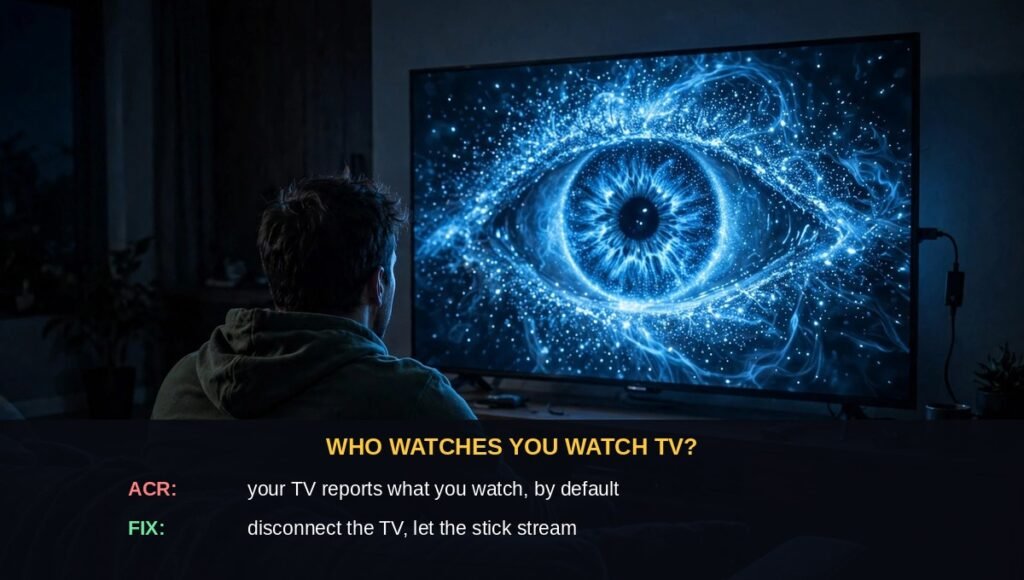
Sticks collect usage data too, and Fire TV and Roku show adverts built on it, so neither side is innocent. But a stick gives you a move the TV alone cannot: once the stick handles all streaming, you can disconnect the TV itself from the internet entirely. The panel keeps working as a plain screen, the recognition software has nothing to send, and the stick becomes your single, manageable point of tracking. For privacy minded homes, that alone justifies the purchase.
When Upgrading the Television Makes More Sense
A stick is the right answer most of the time, but not every time. Replace the TV instead when:
- The picture is damaged, fading, suffering burn in, or has backlight problems
- The screen is too small for your room and you sit squinting at it
- Your TV is 1080p and you genuinely want 4K and HDR for films and sport
- You play games and want a 120Hz panel and low input lag for a console
- The TV has no free HDMI port, or no HDMI port at all on very old sets
- The sound is so poor that you are budgeting for a soundbar and a TV upgrade together anyway
Notice the pattern: every item on that list is about the screen or the hardware. If your complaint is about software, a stick solves it for a tenth of the price. Refresh rate is the gaming half of that decision, and our 144Hz vs 240Hz gaming monitor comparison shows how much of that smoothness you can actually see in real games.
Which One Should You Choose?
Buy a Streaming Stick If
Your TV picture still pleases you, but the apps are slow, one app you want is missing, updates have stopped, or you want the same simple system in every room and on holiday.
Stick With Your Smart TV If
Your TV is fairly new, the menus feel quick, every app you use is present, and you value the simplicity of one remote and nothing extra plugged in.
Buy a New TV If
The screen itself is the disappointment: size, sharpness, contrast, gaming performance or physical damage. Then buy the best panel you can afford and treat its smart features as a bonus, knowing a stick can rescue its software years later.
FAQs – streaming stick vs smart TV
Do I need a streaming stick if I have a smart TV?
No, not if your TV is quick, still updated and has every app you watch. A stick earns its money when the built in system slows down, loses apps or stops receiving updates, because it replaces the ageing software while keeping your perfectly good screen.
Can a streaming stick make a smart TV faster?
Yes. The stick runs the apps on its own modern processor and sends only the picture to your TV, bypassing the TV’s weak chip completely. Slow menus, long loading times and crashing apps are exactly the problems a stick is best at fixing.
Does a streaming stick improve picture quality?
Not beyond what your TV panel can already show. A 1080p TV stays 1080p with any stick. A stick can unlock formats your TV supports but its old apps do not, such as Dolby Vision, and can smooth motion, but the panel sets the ceiling.
Fire TV vs smart TV: which suits most homes?
For an older or slow TV, Fire TV usually wins on speed, app choice and price, with the Fire TV Stick 4K at about $50. A new, fast smart TV wins on simplicity. Fire TV’s downside is a home screen that pushes Amazon content and adverts.
Can a streaming stick turn an old TV into a smart TV?
Yes, that is exactly what it was designed for. Any TV with an HDMI port, which covers almost every set made in the last fifteen years, gains modern apps, voice search and a fast interface from a stick, with no other equipment needed.
Streaming stick vs smart TV: which gets updates for longer?
Streaming sticks, in most cases. TV makers often slowed or stopped updates on older sets after a few years, although newer Samsung and LG models promise longer support. Sticks are supported for years too, and replacing one costs about $50 instead of a television.
Does a streaming stick work on any TV?
It works on any TV with a free HDMI port, smart or not. Very old TVs without HDMI need an adapter, and results there are unreliable, so for those sets a new TV is usually the smarter buy. The stick also needs Wi-Fi and a power source.
Will a streaming stick stop my shows buffering?
Only if the TV was the cause. If your TV’s old Wi-Fi chip or weak processor caused the buffering, a modern stick often fixes it. If your internet connection itself is slow or the signal is weak for every device, a stick will buffer too.
Can one remote control the TV and the stick?
Usually, yes. Most modern sticks use a feature called HDMI-CEC, which lets the stick’s remote switch the TV on, change volume and control playback. You may still need the TV remote occasionally for picture settings, but day to day one remote does the job.
Can I use a streaming stick in a hotel?
Yes, and it is one of the stick’s best tricks. It is small enough for a carry on bag, your apps stay signed in, and Fire TV and Roku both support the sign in pages hotel Wi-Fi uses. You also avoid typing passwords into a strange TV.
Is a streaming stick better than a smart TV for gaming?
For cloud gaming, it depends on the app. The Xbox cloud gaming app runs on Fire TV sticks and newer Samsung TVs, but not on Roku. Serious console gaming depends on the TV panel itself, where a 120Hz screen matters more than any stick.
Do streaming sticks charge a monthly fee?
No. You pay once for the stick and nothing after that. The services you watch, like Netflix or Disney Plus, charge their own subscriptions, and those cost the same whether you watch through a stick or through your TV’s built in apps.
Conclusion – Streaming Stick vs Smart TV
The streaming stick vs smart TV decision is simpler than it first looks once you separate the screen from the software. Your TV’s panel will probably outlive its apps by years, and a streaming stick exists precisely to bridge that gap: about $50 buys you modern speed, a full app store, years of updates and a device you can take anywhere. Buy the stick when the software is the problem, keep your smart TV when it still runs well, and save the new television money for the day the picture itself stops making you happy. That order of thinking will save most households hundreds of dollars and a great deal of frustration.